
Website Maintenance Services
One Simple Monthly Website Maintenance Cost
No Contracts, Unlimited Updates & Changes.
24/7 support & maintenance with fool-proof security.
What are Website Maintenance Services?
Website maintenance services are ongoing technical services that keep a website secure, functional, available, fast and up to date after it has been launched.
Think of website maintenance as car maintenance; that needs regular oil change, engine tune-up, fluid top-up, etc to keep running smoothly.
Typical maintenance includes software updates, backups, security monitoring, uptime monitoring, malware scanning, troubleshooting, performance checks and website changes.
The purpose is not simply to “keep the website online.” A business website may technically be online while its contact form, checkout, email notifications or integrations have stopped working.
At Telkoware, website maintenance is therefore treated as business continuity for your digital presence, not merely a routine list of plugin updates.
Contact us today at info@telkoware.com or (437)223-1771 to discuss your website maintenance needs.
What is included in Website Maintenance Services?
Telkoware’s website maintenance services include automated backups, software updates, 24/7 monitoring and scanning, security protection, performance checks, malware cleanup and restoration, with unlimited changes under its Premium package.
Backup
Automated weekly backups with complete restoration, to protect your website investment.
Updates
Installation and validation of Plugins, theme, content management system, and any other software.
Security
24/7 monitoring and scanning of your website for any security risks, hacks, intrusions, or infections. Website updates includes brute force protection, spam prevention, anti-virus, and anti-malware.
Availability
24/7 monitoring of your website and automatic alerts in-case of any downtime scenario
Cleanup and restoration
Disinfection of your website in the event of hacking or malware / virus infection and restoration to its original state.
Unlimited Changes
Unlimited updates and changes of any kind, including text/image updates, speed optimization, broken-links & form fixes.
Personalized Service
Talk to the same person every time. No voice systems. No waiting on hold. Get straight through to your Webmaster on their direct phone line or personal email.
Email Support
Your website changes are just an email away. Simply email us a list of all of your website changes and edits. We’ll handle the rest and let you know when it’s done.
All types of websites
While we specialize in WordPress, we can maintain all types of sites built on any technology or platform at a fixed monthly website maintenance cost.
No Contracts
We’re a true "no contract" service. Use us as often as you need us. You can cancel your service anytime and resume service any time too. It is that easy.
Local Presence
We are a small proudly Canadian team, based in Ontario, Canada.
Our team is available from Monday to Saturday for any website changes and 24/7 for any critical issues or outages.
Tired of dealing with website problems? Don’t know how to maintain and secure your website? Our web maintenance experts can help. Contact us today.

No more hassles or headaches; complete peace of mind
Our website maintenance company uses systems and tools to monitor your website 24/7, so that you have complete peace of mind.


Got Website problems?
Website configuration issues, broken links, web pages that give error, hosting providers that are no longer available, hacked websites, non-renewed domain names, payment gateways that no longer work, contact forms that don’t work, emails that can’t be sent or received, etc.
We can solve every problem that you can ever experience. We will not just fix it, but also make sure that it doesn’t happen again.
Contact our web maintenance experts today at (437)223-1771 | info@telkoware.com
What is included in the Website Maintenance Packages?
A website maintenance package combines recurring preventive maintenance, detection & remediation, backup & recovery and technical support into a predictable monthly or annual service.
Our web maintenance experts take care of tasks such as backups, CMS/plugin/theme updates, uptime monitoring, 24×7 security scanning & malware protection, content updates, performance checks, website restoration, performance monitoring, and technical support.
Please select one of the website maintenance packages below:
BASIC Website Maintenance package
$65+
Per MONTH
- No Contract / Cancel Anytime
- 24/7 Monitoring & Scanning
- Personalized Service
- Weekly Backups & Updates
PREMIUM Website Maintenance package
$195+
Per month
- Unlimited Changes
- No Contract / Cancel Anytime
- 24/7 Monitoring & Scanning
- Personalized Service
- Weekly Backups & Updates
Annual Website Maintenance package
$650+
Per year
- No Contract / Cancel Anytime
- 24/7 Monitoring & Scanning
- Personalized Service
- Weekly Backups & Updates
Add Web/Email Hosting
$25
Per month
- No Contract / Cancel Anytime
- Fully Managed
- SSL certificate
- Enterprise-grade server with 99.99% uptime
- Unlimited bandwidth
Why should I pay for maintenance if my website is working?
Because maintenance is most valuable before something breaks, not after it does.
A functioning website does not necessarily mean that its software is secure, backups are usable or critical features are working correctly.
For example, a contact form can stop sending emails while the website looks completely normal. A business might discover the problem weeks later after silently losing many enquiries / potential customers.
The same applies to expired integrations, security vulnerabilities, broken analytics and checkout errors.
Website maintenance therefore has two jobs:
* Prevent predictable failures
* Detect invisible failures quickly
Waiting until the website visibly breaks turns preventive maintenance into emergency recovery, which is usually more disruptive and potentially more expensive.

Why does my website keep breaking?
Repeated website failures usually indicate an underlying compatibility, infrastructure or code-quality problem that has never been permanently resolved.
Common causes include:
- Outdated software
- Plugin conflicts
- Poor custom code
- Inadequate hosting
- Failed updates
- PHP/version incompatibility
- Database problems
- Third-party integration failures
Repeatedly repairing symptoms can create an expensive cycle.
Telkoware’s approach is to ask not only:
“How do we fix today’s error?”
but also:
“Why did this website fail again and how do we prevent more failures?”
Sometimes the correct maintenance activity is a permanent technical improvement rather than another temporary repair.

Website Maintenance Services Checklist
Here is a comprehensive list of tasks to be performed as part of website maintenance services:
- Test all web pages to ensure that they are loading without any errors
- Take a weekly / monthly backup of website
- Restore a previous version of backup, to confirm if backups are being taken properly.
- Update website software, plugins, and related items
- Test all web forms to ensure that it is capturing information and sending it properly
- Check and remove spam comments and approve valid comments.
- Check the entire website for any broken links.
- Search for any 404 errors and fix them or redirect to the proper URL.
- Check the load speed of website and optimize content and layout to improve speed.
- Run security scans and ensure none of the files are compromised.
- Install Secure Socket layer (SSL) for data encryption.
- Analyze web traffic stats and compare them month over month for any anomalies.
- Test pop-ups to ensure they are working fine.
- Test website on different devices and browsers to see if it is displaying properly.
- Ensure that your website domain is renewed.
- Ensure that your web hosting is renewed.
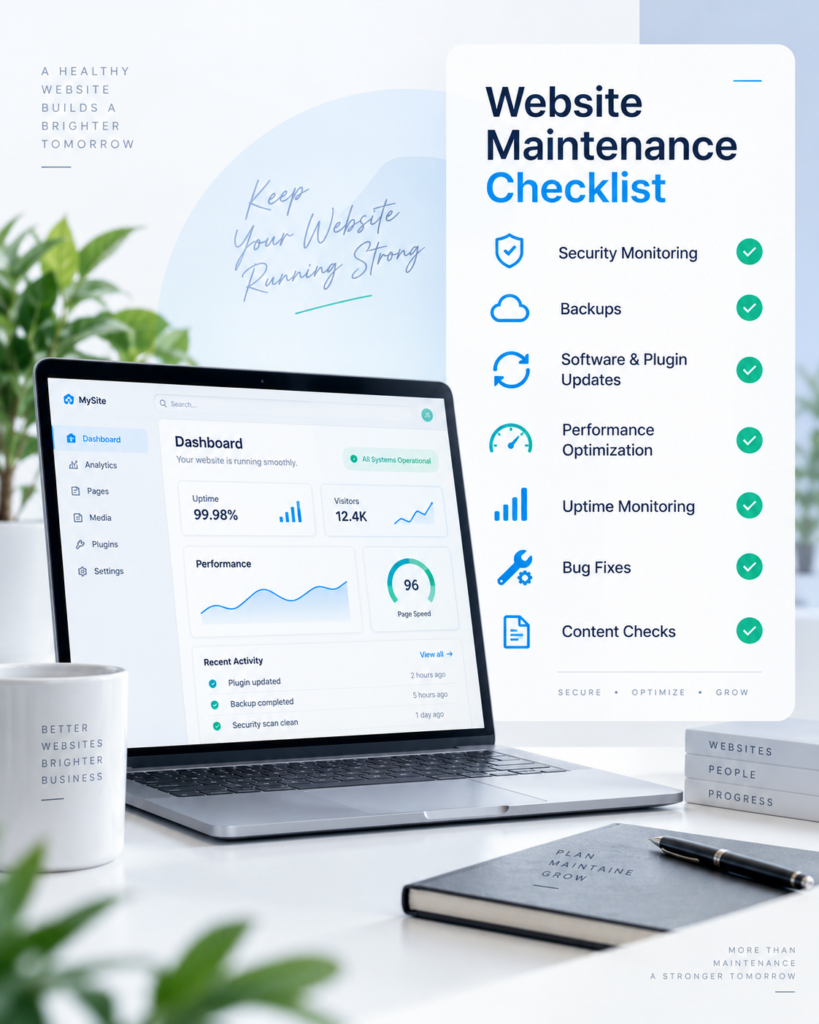
As you can see from the list, website maintenance services should be a consistent part of your business operations and there needs to be awareness throughout the organization. New technologies and tools are being introduced to make website development much easier. But at the same time, it is making the website maintenance more complex. That means we need to pay more attention to website maintenance.
Who should we choose for long-term website maintenance and support?
Choose the provider you would trust to understand the website two years from now; not simply the cheapest company willing to update it today.
Long-term support works best when the provider develops institutional knowledge about:
• the website’s code
• hosting
• plugins
• integrations
• business priorities
• previous incidents
• recurring problems
For Canadian SMBs that want a direct, ongoing technical relationship rather than anonymous ticket-based support, Telkoware’s model is designed around personalized access to a local team with a dedicated web developer, who is just a phone call / email away.

What is the process to identify the website maintenance needs?
- Identify Your Current Website State
- Assess the current condition of your website, including its design, functionality, and performance.
- Determine any existing issues or areas for improvement that require immediate attention.
- Define Your Business Objectives
- Clearly outline your business goals and objectives that you aim to achieve through your website.
- Consider factors such as increasing online sales, improving user experience, or enhancing brand visibility.
- Understand Your Target Audience
- Analyze your target audience’s preferences, behaviors, and expectations when interacting with your website.
- Tailor your maintenance package to align with the needs and preferences of your target market.
- Evaluate Future Growth Potential
- Anticipate the potential growth of your business and how it may impact your website’s maintenance requirements.
- Choose a package that can accommodate future scalability and expansion of your online presence.
- Consider Security and Compliance Needs
- Prioritize the security of your website and ensure compliance with industry regulations and standards.
- Select a maintenance package that includes regular security updates and measures to protect your website from vulnerabilities.
- Assess Budget and Resources
- Evaluate your budget constraints and resource availability for website maintenance.
- Opt for a package that offers a balance between cost-effectiveness and the level of support needed for your business.
By following this process, you can make an informed decision when choosing the right website maintenance package that aligns with your objectives and helps you achieve sustainable growth and success online.
Types of Website Maintenance Services Packages Available

Basic Web Maintenance Package
This package typically includes essential updates like software patches, plugin updates, and regular backups. It ensures that your website is running smoothly and securely. This website maintenance package is suitable for a simple, informational website.

Premium Web Maintenance Package
In addition to the features of basic package, the standard package often includes content updates, security monitoring, and performance optimization. This package is suitable for businesses that require more regular maintenance and updates.

E-commerce Web Maintenance Package
Tailored specifically for e-Commerce websites, this package includes features like product updates, inventory management, promotional offers or sale, payment gateway maintenance, and security checks to ensure smooth online transactions.

Custom Web Maintenance Package
Businesses with unique needs may opt for a custom website maintenance package. This package allows for personalized services based on the specific requirements of the website, including content writing, social media integration, new product/service rollouts, etc.
Each of these packages varies in terms of services offered, frequency of updates, and level of support provided. It is essential for businesses to assess their website maintenance needs carefully to choose the package that best fits their requirements.
By understanding the types of website maintenance packages available, businesses can make an informed decision to ensure their website remains secure, up-to-date, and optimized for performance.
Case Studies: Real-Life Examples of Successful Website Maintenance Strategies
- MTecnica; a leading tiles importer implemented a bi-weekly maintenance schedule, including updating plugins and themes, running security scans, and optimizing site speed. As a result, they experienced a 20% increase in website performance and a significant decrease in downtime.
- Accurate Fishing; one of the largest fishing equipment manufacturer in USA opted for a monthly maintenance package that included regular backups, malware scans, and content updates. This proactive approach helped them avoid a potential security breach and ensured seamless functionality for their online store, leading to a boost in customer trust and satisfaction.
- Glass & Mirror Specialists company invested in a comprehensive quarterly maintenance plan that involved not only technical updates but also content refresh and SEO enhancements. This strategy paid off by improving their search engine rankings, driving more organic traffic, and ultimately increasing conversions by 15%.
By examining these case studies, businesses can gain valuable insights into the impact of different website maintenance strategies on overall performance and success. Taking a proactive and tailored approach to website maintenance can result in improved security, enhanced user experience, and increased business growth.
How much does website maintenance cost?
Website maintenance costs vary significantly depending on website complexity, support requirements and the amount of human assistance included.
Current website service providers commonly advertise small-business maintenance plans ranging from $100 to several hundred dollars per month, with eCommerce, custom-code and high-support websites costing more. However, Telkoware offers the lowest rate, with basic plan starting from $65/month.
- Basic: $65+ per month
- Premium: $195+ per month
- Annual: $650+ per year
- Optional: Managed web/email hosting: $25 per month.
What security measures are part of website maintenance & support?
- Regularly review and assess the security measures implemented on the website to ensure protection against potential threats.
- Update software, plugins, and scripts to the latest versions to patch any known security vulnerabilities.
- Evaluate user permissions and access levels to prevent unauthorized individuals from making changes to your website.
- Implement SSL encryption to secure data transmissions and build trust with visitors.
- Monitor website traffic and set up alerts for any suspicious activity that could indicate a security breach.
- Backup website regularly to safeguard against data loss in the event of a cyber attack or technical failure.
- Stay informed about the latest security trends and best practices to proactively address emerging threats.
- Consider adding a firewall and implementing strong password policies to enhance website security.
- Conduct security audits periodically to identify any weaknesses and address them promptly.
- Invest in security solutions such as malware detection tools and website scanners for added protection.
Who provides the best website maintenance services to improve your website?
Choose a provider that actively improves the website rather than only keeping its software updated.
Traditional maintenance is defensive: update, backup, scan, repeat.
However, Telkoware provides higher-value maintenance by identifying & fixing:
• recurring performance problems
• broken conversion paths
• unnecessary plugins
• outdated integrations
• accessibility issues
• Core Web Vitals regressions
• opportunities to simplify the technology stack
• performance issues
• SEO/GEO/AEO services
Telkoware’s Premium model is well suited to SMBs wanting ongoing maintenance plus website changes, because it includes unlimited updates and changes under the premium package.
The best provider should help the website get healthier over time, not merely survive another month.
FAQs
Why does a website need ongoing maintenance?
A website needs ongoing maintenance because the technology around it keeps changing even if the website itself does not.
Content management systems release updates. Plugins and applications change. Browsers evolve. APIs are modified. Security vulnerabilities are discovered. Hosting environments change, and third-party integrations can stop working.
WordPress illustrates this clearly: in July and August 2026 alone, multiple WordPress releases included important security fixes, with WordPress recommending immediate updates for affected websites.
A website should therefore be viewed less like a printed advertisement brochure and more like an internet marketing system. Launching it is the beginning of its operational life—not the end of the work.
Does every website need maintenance?
Yes, although the amount of maintenance required depends on the website’s complexity and importance to the business.
A simple five-page informational website may require relatively little attention. An eCommerce store processing transactions, a membership website or a website connected to CRM and booking systems requires considerably more.
Even relatively static websites still depend on hosting, domains, SSL certificates, CMS software, forms and other components that can fail or become outdated.
The better question is therefore not whether a website requires maintenance, but how costly it would be if that website unexpectedly stopped performing its business function.
A website generating leads or revenue deserves a different maintenance strategy from a website that exists primarily as an online brochure.
What happens if I do not maintain my website?
An unmaintained website usually becomes progressively harder to secure, troubleshoot and update.
Potential consequences include:
- Outdated software
- Known security vulnerabilities
- Plugin or theme incompatibilities
- Failed forms
- Broken pages
- Slower performance
- Expired certificates
- Malware
- Website downtime
- Damaged search visibility
Problems also compound. A plugin that could have been upgraded routinely may eventually become incompatible with several newer components, turning a straightforward update into a larger redevelopment task.
The hidden cost of neglected maintenance is therefore maintenance debt: small unresolved issues accumulate until making the website current again becomes significantly more difficult.
What business risks can website maintenance prevent?
Website maintenance can reduce the risk of lost leads, lost sales, website downtime, security incidents, customer information leakage, damaged search visibility, destroyed brand reputation, loss of customer trust, and unexpected repair costs.
For a business website, technical problems eventually become business problems.
A failed contact form means missed enquiries. A checkout failure means lost orders. Malware can damage customer trust. A slow website can reduce engagement. An expired SSL certificate can create browser warnings.
One overlooked risk is false availability: monitoring confirms that the website server is online, but nobody notices that the function generating revenue has stopped working.
That is why Telkoware recommends monitoring the website from a business perspective; not merely asking, “Is the server responding?” but also, “Can customers still do what this website exists to let them do?”
What is a website support SLA?
A website support SLA, or Service Level Agreement, defines the service commitments between the website support provider and the client.
An SLA may specify:
- support availability
- incident priorities
- target response times
- uptime commitments
- escalation procedures
- Communication expectations
An important distinction is that response time and resolution time are not the same thing.
A two-hour response SLA generally means someone begins reviewing or acknowledges the issue within that timeframe. It does not necessarily mean every technical problem can be fully repaired within two hours.
Businesses should therefore understand exactly what the SLA measures rather than relying on an impressive-looking response-time number.
Why do plugins, themes and CMS platforms need updates?
Updates fix security vulnerabilities, bugs and compatibility issues while keeping the website aligned with newer technology.
Updates can also introduce features and performance improvements.
For example, WordPress 7.0.1 corrected 31 bugs, while subsequent WordPress 7.0.2, 7.0.3 and 7.0.4 releases addressed security issues.
Shopify also releases updated themes containing bug fixes, design improvements and new functionality.
However, applying updates blindly can create compatibility problems. Good maintenance therefore means keeping software current while confirming that the website still functions correctly afterward.
The update itself is only half the maintenance task; validation is the other half.
Is it safe to automatically update all plugins?
Not always. Automatic updates are useful, but important websites should not rely on completely unattended updates for every component.
Plugins can interact with themes, other plugins, PHP versions, databases and custom code. An individually safe update can therefore cause a problem when combined with the rest of the website.
A safer process for higher-risk websites is:
backup → update → validate → monitor → restore if necessary.
Complex websites may justify staging tests before major updates.
This does not mean every update requires hours of manual testing. Maintenance should be proportional to risk.
For example, an eCommerce checkout extension deserves more validation than a minor plugin controlling an administrative feature customers never see.
How often should a website be backed up?
Backup frequency should be based on how much data the business can afford to lose.
A relatively static brochure website may be adequately protected with weekly backups.
A frequently updated website may require daily backups.
An eCommerce store processing orders throughout the day may justify significantly more frequent database backups because restoring yesterday’s backup could mean losing today’s transactions.
WordPress recommends backing up both the website files and the database because they are separate components of a WordPress installation.
Telkoware’s basic maintenance offering currently includes automated weekly backups.
The useful question is therefore:
“How much recent website activity could we safely lose?”
That answer should determine backup frequency.
How does website maintenance help prevent hacking?
Maintenance reduces attack opportunities by keeping software patched, monitoring suspicious activity and removing unnecessary vulnerabilities.
Important measures can include:
- CMS and plugin updates
- Virus & Malware scanning
- Strong administrator authentication
- Access reviews
- Brute-force protection
- Spam protection
- Backups
- Firewall protection
- 24×7 Monitoring
- Removing obsolete plugins.
No maintenance provider can credibly guarantee that a website will never be hacked.
The objective is instead to reduce the attack surface, detect incidents quickly and make recovery possible.
Telkoware’s maintenance services includes all items listed above, so that you have peace of mind and can focus on your business operations without worrying about website.
Does having SSL mean my website is secure?
No. SSL/TLS protects information travelling between a visitor and the website, but it does not make the website itself immune to hacking.
HTTPS encrypts communications and helps authenticate the website server.
However, an HTTPS website can still contain:
- Vulnerable plugins
- Weak administrator passwords
- Malicious code
- Compromised accounts
- Insecure custom programming
- Outdated software
Think of HTTPS as protecting the communication channel, not every system connected to that channel.
A secure website therefore needs HTTPS plus software patching, access controls, monitoring, secure hosting, backups and appropriate application-level security.
Seeing a padlock sign beside the website URL should never be interpreted as proof that the website has no vulnerabilities.
Does website maintenance improve website speed?
Yes, ongoing maintenance can prevent many of the problems that cause websites to become slower over time.
Potential maintenance activities include:
- database cleanup
- Caching optimization
- Image optimization
- Removing unused plugins
- Troubleshooting slow scripts
- Updating software
- dentifying hosting limitations
- Reducing unnecessary third-party code
However, maintenance cannot automatically compensate for fundamentally poor website architecture or inadequate hosting.
The important distinction is between performance maintenance and performance engineering.
Routine maintenance keeps an already healthy website from degrading. A severely slow website may require a dedicated optimization project before normal maintenance can preserve those gains.
Can website maintenance improve Core Web Vitals?
Yes. Maintenance can help protect and improve Core Web Vitals by identifying performance regressions and addressing technical causes.
Google’s Core Web Vitals currently measure:
- LCP: loading performance
- INP: responsiveness
- CLS: visual stability
Google recommends LCP within 2.5 seconds, INP below 200 milliseconds and CLS below 0.1 for a good user experience.
Plugin changes, new marketing scripts, oversized images, theme modifications and third-party integrations can gradually degrade these metrics. A website that scored well six months ago should not be assumed to perform equally well today. As part of website maintenance services, Telkoware tracks Google’s Core Web Vitals and immediately restores it, once it drops.
Does website maintenance affect SEO?
Yes. Technical maintenance can support Technical SEO (subset of SEO activities) by keeping the website crawlable, available, secure and fast. However, maintenance is not a substitute for an SEO strategy.
Maintenance can help prevent:
- prolonged downtime
- broken internal links
- accidental noindex settings
- malformed redirects
- security warnings
- missing pages
- performance regressions
Google states that technical issues such as server availability, robots.txt problems, missing pages and accidental noindex directives can affect crawling, indexing and search traffic.
Website maintenance therefore protects the technical foundation on which SEO depends. It does not automatically create rankings, backlinks or content authority.
Can website maintenance affect visibility in AI search and AI-generated answers?
Yes, because AI-powered search still depends on websites being technically accessible, crawlable and understandable.
Google states that the same Googlebot controls used for Search also govern access to content used in Google’s AI search features. noindex, nosnippet and other controls can affect what information is available in those experiences.
Maintenance can help protect AI-search visibility by monitoring:
- crawl accessibility
- indexing directives
- broken URLs
- server availability
- structured data
- canonical URLs
- page performance
Google also introduced dedicated reporting in Search Console in 2026 for visibility within generative AI features such as AI Overviews and AI Mode.
The novel maintenance requirement is therefore AI discoverability hygiene, not a mythical “AI ranking switch.”
Do you provide WordPress maintenance?
Yes. WordPress maintenance is one of Telkoware’s website support specialties.
Support includes:
- WordPress core updates
- plugin and theme updates
- backups
- security monitoring
- malware cleanup
- uptime monitoring
- troubleshooting
- website changes
- performance support
- hosting assistance
WordPress maintenance is increasingly important because the ecosystem changes continuously. WordPress itself released multiple security updates during July and August 2026.
Telkoware’s approach goes beyond clicking “Update.” Our objective is to keep WordPress itself, the plugins, the theme, the hosting environment and the custom functionality working together reliably.
Do Shopify websites require ongoing maintenance?
Yes, although Shopify maintenance is different from maintaining a self-hosted platform such as WordPress.
Shopify manages much of the underlying infrastructure and platform security, reducing the amount of server-level maintenance required.
However, Shopify stores still depend on:
- themes
- apps
- custom Liquid/code
- payment configuration
- integrations with payment gateway & other systems
- analytics
- product updates
- website content updates
- checkout functionality
Shopify notes that themes receive updates for bug fixes and enhancements, and apps may interact directly with theme code. Theme updates can also create compatibility considerations with installed apps or customizations.
So Shopify removes much of the infrastructure maintenance, but it does not eliminate storefront and integration maintenance. Telkoware is a Shopify partner and has years of experience maintaining Shopify stores; from simple ones to complex, highly integrated ones.
What is included in eCommerce website maintenance?
eCommerce maintenance should protect the complete revenue journey; from product page to successful payment; not simply keep the homepage online.
Typical activities include:
- platform and extension updates
- backups
- security monitoring
- checkout testing
- payment gateway troubleshooting
- product updates
- website content changes
- performance monitoring
- shipping and tax integration checks
- transactional email monitoring
- malware protection
- uptime monitoring
Because eCommerce websites change more frequently and contain transactional data, they often require more intensive maintenance than informational websites.
Telkoware has developed a proprietary automated solution that performs Quality Assurance testing on different transactions and generates report highlighting any defects or bugs. The focus is to test all revenue critical paths and ensure that they are working correctly. That way, any issues are identified and rectified before the customer finds out.
Can you maintain a website Telkoware did not build?
Yes, Telkoware can take over maintenance of any website developed by another agency.
The first step after taking over maintenance is that we review the existing website, technology, hosting and access.
Older websites may contain:
- outdated software
- undocumented customizations
- abandoned plugins
- unusual hosting configurations
- security vulnerabilities
- performance issues
- broken integrations
- 404 errors / broken links
Telkoware team has expertise in 12+ technology stacks + CMS platforms. So our team can maintain websites developed by others on a wide range of platforms and technologies.
Is hosting included with website maintenance?
Not necessarily. Website hosting and website maintenance are separate services, although both are offered by Telkoware.
Hosting provides the infrastructure that runs the website. Maintenance covers the operational work required to keep the website itself healthy.
Telkoware currently offers managed web/email hosting as an optional addition to its maintenance services at $25 per month, including SSL and managed hosting.
Keeping the two concepts separate is useful because businesses should understand whether a problem has occurred at the server-level or website/application-level.
With both Hosting and Maintenance with Telkoware, we take care of troubleshooting between those layers and fixing it, rather than making the customer determine which vendor is responsible.
Can you maintain my website if it is hosted elsewhere?
Yes, Telkoware can support and maintain a website, even if it is hosted somewhere else.
The maintenance team typically needs appropriate access to the website, hosting environment, database, DNS or related systems depending on the required work.
In some situations, however, poor hosting may itself be causing security, performance or reliability problems.
If so, Telkoware may recommend migrating the website rather than repeatedly treating symptoms created by inadequate infrastructure.
The principle is simple:
Hosting migration should solve a demonstrated problem—not be a compulsory condition for receiving maintenance.
Does a small business really need a maintenance plan?
If the website generates leads, appointments, enquiries or revenue, a small business generally benefits from having someone responsible for keeping it operational.
Small businesses often lack an internal webmaster or IT department, which makes them particularly vulnerable when something breaks unexpectedly.
A maintenance plan can provide predictable access to technical expertise without hiring a full-time employee.
The decision should be based on business impact.
If losing the website for two days would have almost no effect, basic maintenance may be sufficient.
If customers depend on the website every day, maintenance becomes part of business continuity rather than optional technical housekeeping.
Can Telkoware act as our outsourced website support team?
Yes. Telkoware can function as an ongoing technical partner for businesses that do not need or want a full-time internal webmaster.
Clients can send website changes and technical requests to the Telkoware team while monitoring, security, backups and updates are managed proactively.
Telkoware’s current service emphasizes personalized support with direct access to the assigned webmaster rather than forcing clients through an anonymous support queue.
For SMBs, this model can be particularly useful because website needs are often intermittent.
The business gains continuity of technical knowledge without carrying the cost of a permanent internal website specialist.
How do I choose a website maintenance company?
Choose a maintenance company based on what happens when something goes wrong—not just what happens during routine updates.
Evaluate:
- supported technologies
- response expectations
- backup procedures
- security monitoring
- recovery capability
- developer availability
- experience with custom code
- website change support
- communication
- pricing transparency
Ask whether the company simply installs automated maintenance tools or has developers who can diagnose an unfamiliar problem.
The most revealing question may be:
“If our website breaks tomorrow morning, who actually investigates it?”
The answer tells you whether you are purchasing software automation or genuine technical support.
What should I look for when choosing a website maintenance service?
Look for preventive maintenance, monitoring, recovery capability and access to people who can actually repair the website.
A strong service should offer:
- regular updates
- reliable backups
- security protection
- monitoring
- restoration capability
- defined support processes
- relevant platform expertise
- transparent scope
- predictable pricing
For important websites, also look for staging or safe update procedures and monitoring of critical functions.
Avoid evaluating plans only by how many features appear in the comparison table.
Five meaningful services performed well are more valuable than 25 automated checks that nobody acts upon.
Maintenance quality is ultimately measured by operational ownership.
What questions should I ask before selecting a maintenance package?
Ask questions that reveal exactly what is covered, who responds and what happens during a failure.
Important questions include:
- How often are backups created?
- Where are backups stored?
- Can you restore them?
- How are updates tested?
- What happens if an update breaks the site?
- Is malware cleanup included?
- What monitoring is performed?
- Are website changes included?
- What is considered a new feature?
- What are support hours?
- What response times should we expect?
- Are emergency issues handled differently?
- Can you maintain custom code?
- Is hosting included?
- Are there long-term contracts?
The package should answer who owns the problem when the website stops behaving normally.
What does ongoing website support include?
Ongoing website support provides access to technical assistance after the website has launched.
Depending on the package, support may cover:
- troubleshooting
- bug fixes
- text and image changes
- new content
- form changes
- plugin issues
- browser problems
- hosting issues
- integrations
- performance problems
- security incidents
Maintenance and support overlap but are not identical.
Maintenance is primarily proactive; support is primarily responsive.
A strong service includes both: someone works to prevent problems and is also available when the business needs a change or something unexpected happens.
How can I repair a hacked website?
A hacked website should be cleaned, verified, updated and hardened—not simply restored until it appears normal again.
A proper recovery process can include:
- isolating the affected site
- preserving appropriate evidence
- identifying malicious files or database changes
- removing malware
- changing compromised credentials
- updating vulnerable software
- reviewing administrator accounts
- restoring clean components where appropriate
- scanning again
- monitoring for reinfection
If Google has identified malware or phishing, the website should also be checked through Search Console and submitted for appropriate review once clean. Google provides a Security Issues report specifically for this purpose.
The critical step is finding how the attacker entered, not only removing what they left behind.
What should I do if my website suddenly goes offline?
First determine whether the outage is caused by hosting, DNS, the application, an expired service or a recent website change.
Do not immediately start changing multiple systems at once.
A structured response should check:
- hosting/server status
- DNS
- domain status
- SSL
- application logs
- database connectivity
- recent updates
- resource limits
- third-party services
If a recent change caused the outage, rollback may be faster and safer than diagnosing the issue directly in production.
This is where monitoring and backups become valuable: the incident response begins with information instead of guesswork.
What should I do if my website gets hacked?
Act quickly, but avoid deleting evidence or making uncontrolled changes before the problem is understood.
Recommended immediate actions include:
- restrict access where appropriate
- contact the hosting/maintenance provider
- reset privileged credentials
- preserve useful logs
- identify compromised accounts
- scan files and databases
- patch vulnerable software
- restore clean components when necessary
- verify the site before reopening it
If search engines display security warnings, review Search Console’s Security Issues information after cleanup.
Most importantly, do not assume that restoring yesterday’s backup permanently solves the problem.
If the vulnerability remains, the restored website may simply be hacked again.
How do I protect a WordPress website against brute-force attacks?
Use layered authentication controls rather than relying on a strong password alone.
Recommended protections include:
- strong unique passwords
- multi-factor authentication
- login rate limiting
- blocking suspicious attempts
- removing unused accounts
- minimizing administrator privileges
- keeping WordPress and plugins updated
- using a firewall or equivalent protection
- monitoring login activity
OWASP describes MFA as one of the strongest defenses against password-based attacks and cites Microsoft analysis suggesting it could stop 99.9% of account compromises. OWASP also recommends login throttling to limit repeated password attempts.
The strongest WordPress login page is therefore not the one with the most obscure URL—it is the one protected by multiple independent controls.
Do you provide WooCommerce support and maintenance?
Yes. Telkoware provides WooCommerce support and maintenance as part of ongoing WordPress support.
WooCommerce maintenance may include:
- WordPress updates
- WooCommerce updates
- extension updates
- backups
- security monitoring
- checkout troubleshooting
- payment gateway issues
- shipping/tax integrations
- performance optimization
- content and product changes
WooCommerce stores deserve greater change control than simple brochure sites because software updates can affect the transaction path.
For an online store, the most important post-update question is therefore not “Does the homepage load?”
It is:
“Can a customer still successfully complete a purchase?”
What website platforms can you maintain?
Telkoware can maintain websites across multiple platforms and technologies rather than limiting support to a single CMS.
Telkoware’s existing maintenance offering states that, while the company specializes in WordPress, it can maintain websites built using other platforms and technologies.
Depending on the existing website, this can include CMS-based, eCommerce and custom-developed websites.
Before support begins, custom or unfamiliar websites should be reviewed so the development team understands their architecture, hosting, dependencies and access requirements.
Multi-platform support can be especially valuable for businesses that have accumulated several websites built by different agencies over many years.
Can you maintain custom-built websites?
Yes. Custom-built websites can be maintained, provided the source code, hosting environment and necessary technical access are available.
Custom website maintenance may involve:
- application updates
- bug fixes
- framework upgrades
- database troubleshooting
- API integrations
- server configuration
- performance
- security
- deployments
Unlike standardized CMS maintenance, custom applications require developers who understand the programming language and architecture.
An initial technical review is therefore particularly important.
The biggest maintenance risk with custom websites is often not age—it is knowledge concentration, where only the original developer understands how the application works.
A good maintenance takeover should gradually reduce that dependency through documentation and familiarity with the codebase.
Can you maintain Angular or React websites?
Yes. Angular and React websites can be supported when the source code, build process, hosting environment and dependencies are available.
Maintenance can include:
- dependency upgrades
- security fixes
- bug resolution
- API troubleshooting
- frontend changes
- build/deployment issues
- performance optimization
- hosting support
Modern JavaScript applications require a different maintenance approach from WordPress.
Updating dependencies without understanding the build pipeline can introduce breaking changes, so version management, testing and deployment processes are especially important.
The maintenance plan should therefore reflect the engineering complexity of the application, not simply the fact that visitors perceive it as “a website.”
Are website content changes included in maintenance?
They can be, depending on the maintenance package.
Content support may include:
- text changes
- image replacements
- staff updates
- new blog posts
- product updates
- banners
- documents
- minor page changes
Telkoware’s current Premium maintenance package includes unlimited website changes, while its maintenance service allows clients to submit changes directly for the team to complete.
However, a content change and a new software feature are not necessarily the same thing.
The scope should distinguish routine updates from substantial new development so clients know what “unlimited changes” or included support actually covers.
Do website maintenance plans require a long-term contract?
Not necessarily. Maintenance services can be offered month-to-month, annually or under longer agreements.
The right arrangement depends on the website and support expectations.
Telkoware currently offers a no-contract service that can be cancelled and resumed, along with annual maintenance options.
For SMBs, flexibility can be valuable. However, the absence of a long contract should not mean the absence of continuity.
The real benefit of long-term maintenance comes from having a support team gradually learn the website’s technology, history and recurring issues.
Why does my website keep getting hacked?
Repeated hacking usually means the original vulnerability or access path has not been fully eliminated.
Potential causes include:
- vulnerable plugins
- compromised administrator accounts
- weak passwords
- outdated CMS versions
- infected backups
- insecure hosting
- abandoned themes
- malicious hidden administrator accounts
- compromised FTP credentials
Simply deleting visible malware does not necessarily remove persistence mechanisms or close the original vulnerability.
A proper incident response should therefore combine cleanup + root-cause analysis + patching + credential reset + monitoring.
If the site is restored from backup without fixing the entry point, attackers may regain access.
Why is my website suddenly slow?
A sudden slowdown usually means something changed in the website, hosting environment, traffic profile or a third-party service.
Possible causes include:
- a new plugin or script
- oversized content
- database grows
- hosting resource constraints
- bot traffic
- caching failure
- external API delays
- software updates
- malware
Diagnosing performance by installing another “speed plugin” can sometimes make the problem worse.
A better approach is to determine where the additional time is being spent: browser rendering, application processing, database queries, network requests or third-party services.
Once the bottleneck is known, optimization becomes targeted rather than speculative.
Why does my website keep going offline?
Recurring downtime normally points to an unresolved hosting, resource, software, DNS or reliability problem.
Possible causes include:
- server instability
- exhausted CPU or memory
- traffic spikes
- application crashes
- database failure
- DNS problems
- expired domains
- DDoS or malicious traffic
- faulty deployments
- third-party dependencies
Monitoring should capture enough information to correlate downtime with the underlying cause.
Otherwise, every outage becomes an isolated mystery.
The objective should not simply be restoring the website quickly each time.
It should be reducing the probability that the same class of outage happens again.
What are the best website maintenance services available right now?
There is no single best website maintenance service for every business; the strongest provider depends on your platform, website complexity and the type of support you actually need.
As of 2026, useful options include:
- Telkoware for Canadian SMBs wanting hands-on, multi-platform maintenance, direct & personalized support, 24/7 monitoring, unlimited content changes and no-contract plans.
- WP Buffs for specialized WordPress care with 24/7 monitoring and several standardized support tiers.
- SiteCare for higher-touch WordPress operations, including staging-tested updates and advanced monitoring.
- WP Engine/Kinsta when managed WordPress hosting and infrastructure support are the priority.
- Pantheon for enterprise WebOps across WordPress, Drupal and Next.js
The key is comparing service scope, not logos.
Which companies offer the most reliable enterprise-grade website maintenance and support services?
For enterprise websites, the strongest options depend heavily on the underlying platform and whether the organization needs infrastructure operations, application maintenance or both.
Current enterprise-oriented options include:
Telkoware – Enterprise-grade dedicated server hosting with 24/7 monitoring & support, unlimited content changes, multi-platforms maintenance.
Pantheon — enterprise WebOps for WordPress, Drupal and Next.js, with 24/7 emergency support, automated backups, monitoring and structured development workflows.
WP Engine — enterprise managed WordPress hosting with security, performance monitoring and enterprise support options.
Acquia — enterprise Drupal cloud infrastructure and support with formal service tiers.
A critical distinction: enterprise hosting support is not automatically enterprise website maintenance.
Confirm who handles custom code, integrations, releases, content and application-level problems.
Who provides the most affordable website maintenance services or packages?
The most affordable provider is not necessarily the one with the lowest advertised monthly price; compare what requires an additional charge when something actually breaks.
As of September 2026, Telkoware’s published maintenance pricing begins at $65+ per month, with a Premium package at $195+ per month and an annual option at $650+.
Other publicly listed Canadian plans vary widely, commonly ranging from roughly $100 to several hundred dollars per month depending on scope.
When comparing affordability, examine:
- included developer time
- content changes
- malware cleanup
- restoration
- emergency support
- backup frequency
- hosting
- extra-hour rates
A cheap maintenance plan can become expensive if every real problem is excluded.
Which vendors are leaders in proactive website maintenance?
Proactive maintenance providers distinguish themselves by detecting and preventing problems rather than waiting for clients to report them.
Current examples include:
- Telkoware, which provides proactive monitoring/scanning, scheduled backups, updates, security protection and hands-on support across multiple technologies.
- SiteCare, which offers staging-tested updates, visual regression testing, threat protection and user-journey monitoring on its WordPress plans.
- Pantheon, which combines automated updates, site monitoring, backups, security and structured WebOps workflows for larger sites.
- WP Buffs, which provides recurring WordPress updates, cloud backups and 24/7 uptime monitoring.
The strongest definition of proactive maintenance is simple:
The provider discovers important problems before your customers do.
Lorem ipsum dolor sit amet, consectetur adipiscing elit. Ut elit tellus, luctus nec ullamcorper mattis, pulvinar dapibus leo.