Warning: Undefined array key "url" in /home/telkowar/public_html/wp-content/plugins/seo-by-rank-math/includes/modules/schema/snippets/class-author.php on line 41

Telkoware

29 Tips of Social Media Marketing to sky rocket your business

small-business-website-design-15

Long gone are the days when social media was just about posting your vacation photos or letting friends know what you were having for lunch. Today, social media has become a vital business tool that entrepreneurs can no longer ignore.

Social media is everywhere. We use it to make buying decisions, to stay in touch with friends and family, and to develop new relationships— both personal and professional. Yet only 35% of Canadian small and medium-sized businesses have a social media presence, which is scary.

When properly harnessed, social media can help you propel your business to a new level of success.

Here are 29 tips of Social Media Marketing that are extremely effective in engaging the existing audience, getting new followers, and converting those followers to customers:


1.  Analyze your competition

Follow your closest competitors on Facebook, Twitter, LinkedIn and other platforms, who are very active and have a large base of followers with a lot of interaction. Watch closely the content they are publishing and with what frequency and at what time? What kind of language are they using (jargons, abbreviations), and do they focus more on graphics, charts, images, or text?


2.  Build a Social Media strategy

A social media strategy is extremely important and looks easy. So many businesses rush to create a Facebook page or Twitter feed without proper planning. The result can be wasted resources and poor results.

Here is a checklist of the key elements in your social media strategy. It includes:

  1. What are the main goals of your social media marketing?
  2. Determine your target audience and on which social media platform do they hang out?
  3. What kind of content will appeal to your target market?


3.  Build relationship with your audience

It may seem counter-intuitive at first, but the best way to grow your audience is by offering helpful, value-added information. Remember that social media is about building relationships. You can’t buy loyal social media fans, any more than you can buy friends in real life. So always give, give, and give, to become likeable and popular.


4.  Create unique content

If you want to grab the attention of your audience and keep it, create content that is creative, authentic and truthful. Do something unique to stand out, as they are already bombarded with thousands of content on all kinds of social media platform. The key is to offer interesting, relevant content that your followers will find compelling and want to share with their networks, eventually boosting your post and reaching a bigger audience.


5.  Follow a posting schedule

Build a posting schedule and stick to it. It is crucial to post regularly according to the publishing schedule you set out, because social media pages quickly lose attention of followers if they’re not updated regularly with new content.


6.  Be respectful and courteous

Be polite, respectful and courteous. Use the same tone as you would if you were talking with a client in person.


7.  Don’t try to hard sell

Hard-sell marketing is a big no-no in social media and will turn off visitors. Instead, allow people to come to you. The idea is that an engaged follower is more likely to become a customer. For example, an auto dealer can share videos about car care tips, or winter tire care tips. A construction company can share renovation advice with home owners. A beautician can share articles on how to maintain and enhance good looks. A dentist can share tips on good dental hygiene. The list can go on and on.


8.  Build around your expertise and drive them to your website

Carefully think about what your core expertise is and then write or design content around it and publish it on your social media pages, so that people always visit your pages as the ultimate resource, which will drive more sales. In order to get more customers, you should focus on driving traffic from your social media pages to your website with call-to-action (CTA) that converts visitors into paying customers.


9.  Encourage audience participation

Ask fans to post their comments, stories, photos and videos on your page. Ask customers for written or video testimonials, and post them. Invite product feedback.

Be authentic and truthful; build trust, and listen to what your audience says and take action, based on their feedback.


10. Respond promptly to your audience

Make sure that you respond to those who interact with you, within 24 hours. Offer your sincere thanks to those who contribute, and respond to any customer issues. All this interaction will also help boost your following by making your feed livelier. As well, fans’ interactions with your pages may automatically pop up on their friends’ feeds, encouraging them to follow you, thus boosting your following.


11. Hold contests

Build engagement by organizing contests where you offer discounts or prizes. These competitions will help you attract more followers but should be designed to find and retain those who are genuinely interested in your business, not just looking for a freebie. Be sure to tie your contest in some way to your products, brands or business goals. Also be sure to check applicable federal and provincial regulations regarding contests, as well as the social media platform’s contest guidelines, so that your page doesn’t get blocked.


12. Organize surveys

Surveys are a good way to solicit customer feedback, which is extremely valuable in improving your customer service and quality of products or services you offer. Boost the number of respondents with a draw for a prize at the end (while, again, being sure to respect the social media platform’s contest rules). Surveys will also help you build a following.


13. Integrate website with social media

Make your website or blog easily shareable with plug-ins from social media sites. Plug-ins are tools or programs that allow your audience to share, make comments, or recommend your content to their own network.

There are other plug-ins that allow you to create a feed of your social media messages on your website. So anything posted on your social media pages is automatically displayed on your website, which means less work for you.


14. Invite your contacts

Invite people in your personal and business email lists to subscribe, as well as contacts from your personal social media pages. Display links to your business social media pages prominently on the home page and other web pages of your company website. Put those links in your email signature line, marketing campaigns and printed business materials, such as letterhead, business cards and store signs. Submit your social media pages to social bookmarking sites, so more people find out about it and subscribe or follow.


15. Buy ads

Have you ever thought of buying ads on social media platforms, such as Facebook Ads and LinkedIn Ads? Social sites have lots of personal information about users and have capitalized it to offer businesses highly targeted advertising based on precise demographics and geographic location. You can use the ads to home right in on your target audience without wasting precious ad dollars on anyone else. You can then continuously optimize your advertising based on what works because you can get detailed data on who your visitors are and which campaign or other source brought them to your site.


16. Be responsive after a social media post

Nearly three-quarters of interactions on Facebook occur in the first hour after a post is made. Keep your interactions up by posting more often and by being online and available right after you post.


17. Join discussion groups

On LinkedIn and Facebook, use the search tool at the top of your page to look for groups relevant to your business. Both platforms have thousands of discussion groups and pages on a wide range of topics. Join groups of interest, monitor discussions, and participate to help potential clients and establish yourself as a thought leader.


18. Promote your events on Social Media

If you organized an event, post lots of photos on your Facebook, LinkedIn, and Instagram pages, then encourage your fans to tag themselves, like them, or share them. When they do so, their activity is noted in their friends’ news feeds, giving your page a promotional boost.


19. Follow the 4-1-1 rule

I would suggest a “4-1-1” rule for content: Publish four fun or educational posts for every one “soft promotion” (e.g., an event announcement) and one “hard promotion” (e.g., take advantage of a special offer).


20. Videos are popular on social media

Request your customers to contribute video testimonials to post on your social media pages, or arrange to shoot them yourself.

Also, you can make how-to videos demonstrating your products or services, and answering common questions.


21. Don’t plagiarize

Plagiarism is a big no-no on social media. If you have to use someone’s content, make sure you properly acknowledge other people’s material. Don’t post someone’s article or other material without acknowledging the source.


22. Visuals are stronger than text

It is very effective to use lots of strong visual content, such as charts, photos, infographics and videos. With today’s information overload, people don’t care too much about text and focus more on visuals.


23. Keep listening and learning

Don’t stop learning and listening to what’s being said about you, your company, your industry and social media. Social media is changing fast, so it’s important to keep an eye on developments and adapt accordingly.


24. Social Media Marketing takes time

Be patient. Like any relationship, social media success takes time to build. Creating social media posts are relatively easy and can be free to create, but creating a presence is the tip of the iceberg. Building a following is not free because it takes a lot of your valuable time that you could have spent on other business-related activities. The only way social media is going to work is to stay focused on completing the routine tasks on a daily basis. That requires discipline.


25. Customize your social media pages

Customize and personalize your social media pages. Remember to include visuals, such as your logo and brand colors. Also, consider using images of people at work in your business and customers (while being sure to respect privacy and get consent, if needed).


26. Keep personal and business profiles separate

Some companies make the common mistake of using a Facebook personal profile for their business. This violates Facebook’s terms of use and could cause your account to be terminated. A Facebook page also has features better suited for businesses. For example, on a Facebook personal profile, you have to individually approve each person who sends you a “friend” request. A Facebook page lets visitors click the “Like” button, which automatically adds them to your company’s network. A Facebook page also allows an unlimited number of fans (unlike a profile, which limits you to 5,000 friends). And a Facebook page lets you designate multiple administrators. So it is worth spending time creating a business page.


27. Get a custom URL

When you create your page, the URL (Internet address) will include a long random number. Give your page a custom URL—for example, facebook.com/coffeeshop—in order to make it look more professional, easier to promote and easier to find in web searches. Get a custom URL for free at facebook.com/username.


28. Help is just around the corner

Visit the social media site, and click on the “Help” or “Learn More” button, which is usually at the top of the home page. Some sites also have a business support page specifically for companies.

Create a personal account at the site and start exploring. The best education often comes from hands-on experience.


29. Measure and analyze your efforts

You might be actively tweeting, posting how-to videos and updating Facebook. Now, you want to keep track of how well you’re doing. Without this information, it’s hard to know which efforts are paying off and how to optimize your resources.

The simplest way to measure your efforts is by watching the number of fans you get on your social media pages. But that’s not always a good indicator. What’s more important is the volume and quality of interactions on your sites—comments, likes, retweets, etc. This is a good sign that your site has attracted the right kind of fans—people whom you can sway to meet the goals and targets you set in your social media strategy. Think carefully about your business objectives from social media marketing and set metrics accordingly. If your goal is sales lead generation, your metric is how many leads you got and their cost.


I have tried to cover as many tips as possible, but if you feel that there are more, please share it in the comments below, so other readers can benefit from it.


If you already have a social media marketing strategy, or looking to plan and need some guidance, feel free to reach out to us at info@telkoware.com | (416)278-0734 and we will connect you with one of our social media experts for free consultation. Happy Posting 🙂

15 Web Design trends of 2020 that will affect your business

ecommerce-brampton

Web design trends 2020

In the past few years, internet has changed drastically, based on customer’s needs as well as technology advancements. Some changes have stayed for a longer period of time, while others have disappeared with the passage of time. Based on a quick glance to a website, you can easily tell if this website has been designed in the 90s, or very recently. Let’s discuss 15 major web design trends of 2020 that have impacted the web:

  1. Mobile-friendly websites

Initially, you could only access the internet from a desktop computer, but mobile devices like smart phones and tablets took over the web, as they got faster, smarter and more affordable. That’s why web pages had to be designed to fit different screen sizes, which is referred to as mobile-responsive. Nowadays, anyone can easily access the internet on their mobile devices the same way they can on a desktop computer, due to which more than 60% of web traffic is generated from mobile devices.

best-website-design-7

  1. Interacting without a mouse

As explained above, many internet surfers use mobile devices with touch functionality to browse internet, without relying on a mouse. So web pages have had to be designed to make interaction simple and effective for those users, thus ensuring that various web pages or specific functions don’t act weird, just because someone is not using a mouse.


  1. Poor internet connection

Just because we have access to fast internet connection doesn’t mean everyone else does. There is still someone somewhere who is relying on very slow 3G connection to access different websites. It’s important for websites to be designed with the needs of such users in mind, like keeping pages light with graphics, images, using caching mechanism, etc.

Digital-Marketing-14


  1. Processor speed is not increasing dramatically

For a number of years, computers were getting faster very quickly, in fact speed was doubling every 18 months (as per Moore’s law). This dramatic increase was evident in desktop computers, but is not the same with mobile devices. Users are focusing on different priorities other than just processor speed. People nowadays prefer phones that have a longer battery life and are cost effective. Manufacturers no longer focus on increasing processor speed because it may undermine these factors.


  1. Different forms of interaction

Modern devices are designed to offer users options as to how they can interact. With a touch device, you need to tap in order to trigger a button. With a mouse, you’ll have to click and a keyboard requires you to press the enter key. Each device is designed with features that allow users to do many other things.

Website designers have to be very careful when thinking about devices used to interact with them. For instance, when a design element reveals content after hovering a mouse, what would it do when the user has a touch screen device? Something to think about and plan around.


  1. More focus on content

Today’s web pages are created in such a way that they place special emphasis on the content of the page itself, instead of directing the visitor to other web pages via links. So designers are making sure content is interesting, readable, and useful.

Digital-marketing-8

  1. Google rank affects your website’s visibility

Google is giving more importance to the website speed by using it as one of the parameters for its algorithm to rank pages. So your website’s speed will impact your Google page rankings. As you already know, Google’s rank is critical to driving traffic to your website. So if your page loads slower for users, it will also become harder for potential customers to find you.

web design trends 2020

  1. Changing privacy laws will demand your compliance

With recent Facebook fiasco, there is more focus on privacy of users and protection of personally identifiable information (PII) – especially as the new internet era invites the potential for private information to be auctioned off by ISPs.

Google Safe Browsing (GSB) is the police force of Google. While safe browsing efforts have always worked to monitor the collection and usage of PII through privacy policy disclosure and consent requirements on traditional websites, those efforts are rapidly expanding into the app market.

Since February 1st of this year, a GSB update is in effect that requires all apps and app-leading websites to present a privacy policy to users that explicitly outlines:

  • What information is collected
  • How it is stored
  • How that data may be used


  1. More social media platforms have been born

In 2006, the leading social media platform was MySpace. Today, there are other social media platforms that a lot of people prefer most, like Facebook, Twitter, LinkedIn, Instagram, Tumblr, Pinterest, etc.

Facebook is one of the most popular social sites in use today. 2011 and 2012 were the years of Facebook, during which time its users hit the one billion mark. It was in 2012 that the platform acquired Instagram, whose popularity spread in no time at all.

Businesses are using social media to engage with their users, potential customers, as well as drive more traffic to their website by integrating it with their website and blog pages.

  1. Competition of Web browsers

At the start of internet, the only available browsers were Internet Explorer and Netscape Navigator. These were the only options to choose from. Nowadays, many better browsers have emerged and internet users have a wide range of options to choose from, including Chrome by Google, followed closely by Opera Mini, Microsoft Edge, and Mozilla Firefox among others. Designers need to ensure that any website designed needs to be presentable and visually appealing in all major browsers.


  1. ‘At a glance’ content

In the beginning, a lot of content was key in providing internet users with the information they needed from the various sites they visited. This has changed so much from the past years, to at a glance content. With shorter attention span and multi-tasking, everyone wants to go over the content on a website as quickly as possible. For e.g., people prefer Infographic instead of long sentences. What they need is a website that is engaging but at the same time one that is very easy to navigate, gives the right level of information in a summarized manner.


  1. Immersive interaction experience

Customer experience has now become an important factor in web development. Designers think more about how their end users will feel about their website than how their websites look. One of things that make many internet users flock to a website is the experience they get there. There are quite a good number of techniques that come with immersive experience, some of which include animations, transitions, interactive narratives, micro interactions among others.


  1. Photos took hold of the internet

Photos play an important role in web development these days. It was just the other day that full-bleed photos started gaining popularity. More visual elements are required for one to create a successful website these days. Most of the internet users are attracted to images more than plain content. If you want to attract and engage users on the internet, you have to use quality images together with quality content.


  1. Emergence of Mobile Apps

In 2010, majority of people had started using their mobile phones to access the internet. This is where the interest for apps came in, since most of these phones could feature apps. Today, apps are the easiest way to access products or services online. Many companies rely on apps to market and sell more of their products and services, and people are downloading these apps every day. Some companies focus more on mobile app users, instead of their website visitors.

web design trends 2020


  1. Long scrolling websites

A few years ago, all critical content was displayed above the fold. The most important content on a website was placed at the top sections of the webpage. Since it was easily accessible, there was no need for internet users to scroll in order to find it. This trend gradually shifted to long-scrolling websites, where internet users are required to scroll down actively in order to find content. This kind of design needs to be planned carefully so that it is easy to use and website visitors are able to find relevant information quickly before they give up and jump to another website which suits their needs.


This by no means is an exhaustive list of web design trends 2020 and will soon become out-of-date with the rapid pace of changes coming almost every day. As technology evolves, we can expect more drastic changes to the web based on users’ demands and needs. This is why we need to stay up to date with the current internet trends and make necessary adjustments that impact the way business is conducted throughout the digital world.

If you are aware of any web design trends that are not mentioned here, please share it in the comments below. Thanks.

Have a website with lots of visitors, but no customers? Follow these 10 tips for a conversion-focused web design

High-conversion-website-design

Conversion web design

The most convenient source of information for everyone today is internet. People will use it either to learn about a particular topic or a product, compare products and prices, or to buy something. If your website provides them the information that they are looking for in a convenient way, they will continue to come to your website, thus making it easier for you to convert them to a customer.

For every business whether it is small, medium, or large, it is crucial to have a well-designed website, since many potential customers will visit your website before they knock on your door or give you a call. If your website is difficult to understand or does not give your visitors what they are looking for with minimal clicking, they are likely to go back to the search engine and find a website that will give them that information and you will end up losing potential customers.

Here are 10 simple tips to have a conversion web design, with focus on higher conversion rate:


1. Structure / Hierarchy / Layout

The website structure, or some refer to it as website hierarchy or website layout is how the web pages are organized, so that visitors are easily able to navigate and find the information that they are looking with least no. of clicks. Navigation should be a smooth and follow easy process. If people can’t find what they are looking for in a short period of time, they will give up and leave your site. So make sure all pages are structured logically.

conversion web design

2. Call-to-Action

Think carefully what you want your visitor to do; call you, email you, text you, sign-up for mailing list, or fill out Contact Us form. Then position that call-to-action (CTA) in the best places. Should it be on the top of page, bottom of page, above the fold, below the fold, after content? The best place is different for every business, depending on the type of business and overall design and layout. So Use A/B testing to figure out which version of the page has the ideal CTA placement.

conversion web design

3. Mobile-friendly

Have you ever wondered how your website looks on iPhone or a tablet? More than 60% of visitors come through a mobile device. So please make sure that your website is not only compatible with all possible devices, screens, and browsers, but responsive as well. What that means is that every page should have the ability to resize the content automatically. Mobile phone users should not have to zoom in or zoom out; the site should automatically scale to the perfect size, based on their screen.

best-website-design-7

4. Readability of Content

Don’t cram too much content on one page. For starters, too much content can cause a site to run slowly. Also, it’s more difficult to read a page with very little white space. If content is overflowing and appears disorganized, visitors might not bother trying to make sense out of it. As a result, you’ll end up with a high bounce rate and low conversion rate.

conversion web design

Also, make sure that you only put high-quality content on your website. If people can’t make any sense out of what they are reading, why should they trust you? Why should they bother sticking around? They definitely won’t buy anything. Make sure there are no typos or grammatical mistakes and focus on your keywords. Don’t overuse them, as your ranking may be penalized for it and you might get banned from search engines.


5. Website Design

Make your website friendly and easy to use for every visitor. The contact form, for instance, should be short and easy to fill out and submit. If you are selling products, it should be easy to select products and drop them in your shopping cart and the checkout process should be user-intuitive with different payment options.

White space helps to create flow or a focal point on your website. Consistency in white spacing is important for a great design and will help with your overall user experience.

conversion web design

6. Realistic, authentic visuals

Whether it be beautiful photographs or cool graphics, you want your site to be visually appealing. Good web design will incorporate images that are both appropriate to your brand, and are engaging to your users. Instead of using stock images, I would highly recommend using real photos of your products, your office, and your employees. That will bring more authenticity and credibility to your business.

professional-website-designer-6

7. Color and Contrast

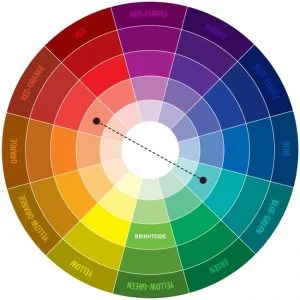
Always use color combinations that look great together and complement each other. The objective should be to make everything easy on the eyes. Text should be easy to read, but not so bright that it blinds visitors.

professional-website-designer-3

8. Incentivize to collect user information

You should encourage visitors to share their contact information, like email address, so that you can pursue that lead and convert him/her to a customer. With so many privacy issues and concerns these days, you have to offer some sort of incentive to visitors for filling out a mailing list form. Also, put social media links on each blog page so that users can share the information if they find it interesting.

conversion web design

9. Sense of urgency

Providing a sense of urgency is a psychological technique that a lot of businesses use to take a specific action promptly, instead of pondering over it for weeks or months. If you are selling a product, highlight a statement that “Only a few left at this low price!” or “Sign up for the newsletter while this information is still available”, or display the remaining quantity on product page before it is sold out, or a discount Coupon for a limited time offer. If done correctly, it will help increase leads and hopefully customers, as people will be more likely to take action now rather than just bookmarking your site and sitting on the decision for a while.


10. Credibility with customer reviews / testimonials

If you don’t have a famous, well-known brand behind you, you will need to build your credibility, so that visitors can trust you and reach out to you for further information or to buy the product. People rely on other third-party reviews / testimonials to make a decision. The best way to collect reviews and testimonials is to give best-possible customer-service and once work is complete or product is delivered, request for a review/testimonial. You can add it to your website, on your google business listing, Yelp, etc where people usually go to read reviews.

conversion web design

Once you have read everything explained above, take a close look at your website and see which improvements are required. Once those improvements have been completed, you will see a significant jump in your conversions.

We are happy to do a free audit of your website and provide a detailed report of improvement recommendations. Simply send us an email at info@telkoware.com or call us at (437)223-1771.

Have an awesome website, but no visitors? Follow this SEO Guide to build traffic from Google

small-business-SEO-services

Let’s face it. SEO Marketing for business owners like you and me may be tough, but will ultimately pay off with lots of new customers. The challenge is that business owners invest thousands of dollars to get a top-notch website, but don’t see any results. Yet, there are others, who promote their business website through Search Engine Optimization (SEO) and are not only growing their business with a steady stream of new customers from Google search results, but also competing successfully with the big players in their industry. In this guide, I will explain SEO Marketing in simple terms, so that you can put it to work for your business and get some amazing results. Trust me, it is not Rocket science.

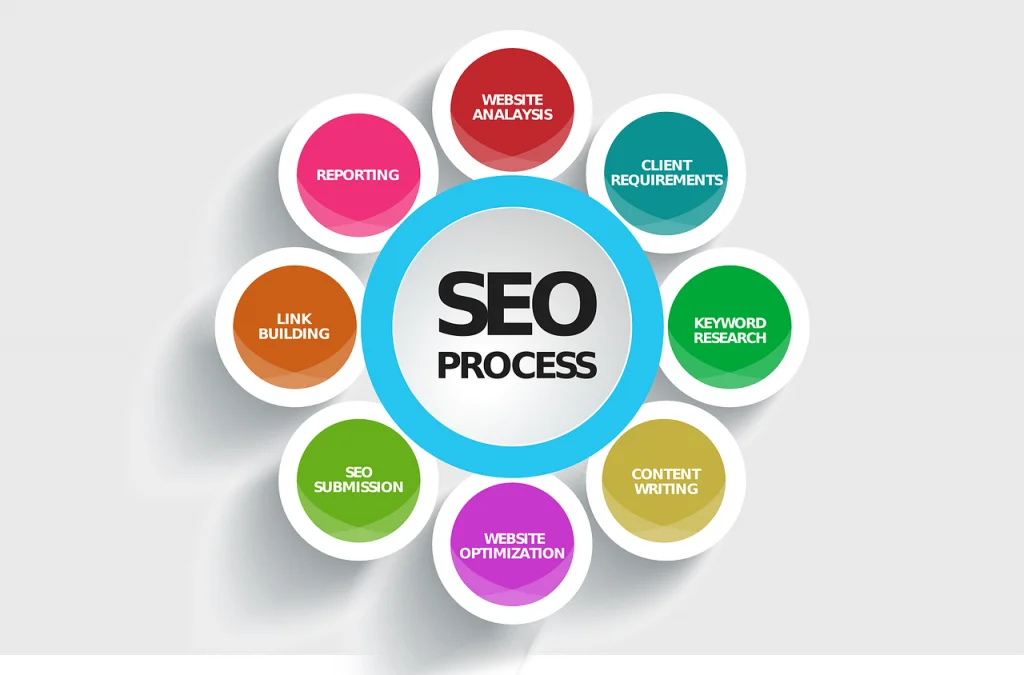
Here is a simple step-by-step guide on Search Engine Optimization (SEO):


What is SEO?

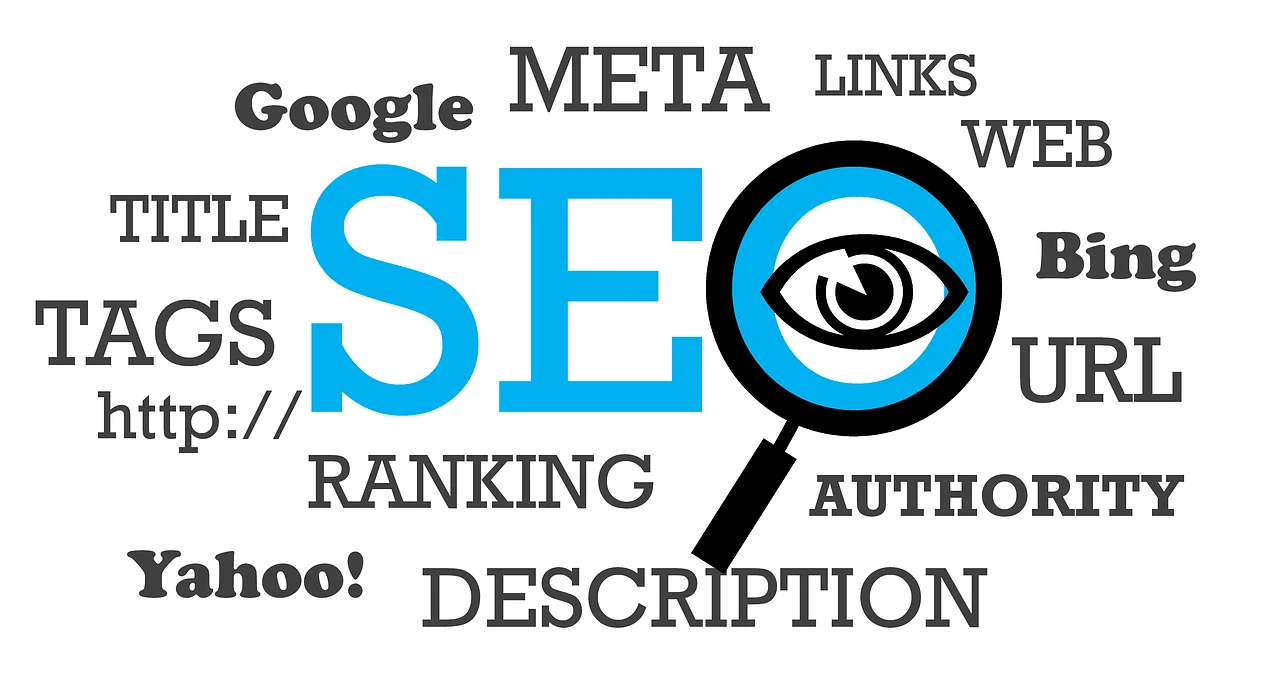
SEO stands for Search Engine Optimization. It is a technique to get free traffic from search engines, when someone searches for a product / service that you offer. When someone does a search, results like websites, Google business listings, videos, images, are displayed. Those results are ranked by Google based on what it considers to be most relevant to the person doing the search. When you do Google search, you will notice paid ads on the top (pay-per-click advertising) and then relevant results, also referred to as Organic results. Every business wants to appear in the top organic results on 1st page of Google for the keywords or phrase relevant to their business, so that more people click and visit their website, eventually converting them to paying customers. So the art of optimizing your website to improve its ranking in search results is known as SEO, short for Search Engine Optimization.

SEO is a combination of technical, creative, and content elements required to improve rankings, drive traffic, and increase awareness in search engines. There are many aspects to SEO, from the words on your page to the way other sites link to you on the web. I will cover major aspects in this article below.


Why does you small business website need SEO Marketing?

  1. It helps people find your website

The majority of web traffic is driven by the major commercial search engines, Google, Bing, and Yahoo, with 86% of market share captured by Google. Although social media, referral websites and other types of traffic can bring some visitors, search engines are the biggest source of visitors to your website. This is true whether your site provides products, services, or general information.

Your website is your first point of contact with your online audience. It can generate leads, qualify prospects and attract a steady stream of new prospective customers. But that will only happen if they are able to find your website, among millions of websites out there.

  1. It’s cost-effective

Compared to other forms of online marketing, like pay-per-click advertising / search engine marketing, social media marketing, or content marketing / email marketing, SEO provides the best return on investment. More than 75% of searchers never look past page one of a search results page. Just imagine the no. of prospects your business can get if your website is ranked on top. It can prove to be the best investment you ever made into your business.

  1. Your competitors are doing it

Almost 90% of customers search online and read reviews before making a purchase. If you have not invested in SEO, they won’t find your business, but they will definitely find your competitors.

  1. It builds trust

SEO Marketing makes your brand stronger because it makes you recognizable. If you’re one of the top results for a search of your product or service on Google, people will automatically believe that you’re the best at what you do.

  1. It’s measurable

SEO Marketing is quantitative by nature. So every aspect of it can be measured, analyzed, and optimized to gauge results. You can easily calculate the ROI for every dollar invested in SEO.


Still not convinced?

If you are still not convinced on the value of SEO, no worries. Here are some key stats to help you understand the value and true potential of Search Engine Optimization (SEO) Marketing:

  1. 93% of online experiences begin with a search engine.
  2. Google owns 82% of the search engine market share.
  3. 80% of people click on organic search results, while only 20% click on paid ads.
  4. 75% of users never scroll past the 1st page search results.
  5. Search is the no. 1 driver of traffic to websites, beating social media by 300%
  6. SEO leads have a 14.6% close rate, while outbounds leads (direct mail, email, print advertising) have a 1.7% close rate.
  7. On Google, 18% of organic clicks go to the #1 position, 10% to the #2 position, and 7% to the #3 position.

Whether you don’t understand SEO, or just don’t want to understand SEO, it’s very difficult to ignore the value that SEO can bring to a website or blog.

Even if you have been burned by some shady SEO companies in the past, it is important that you stay the course and keep SEO Marketing as an integral part of your Digital Marketing efforts.

SEO-Marketing-1


How does SEO Marketing work?

Google crawls the web and builds a database of all of the web pages, files, news stories, videos, images, and other media available online. Then, when you search for something specific, the search engine will look for it in its database and deliver results that match and seem relevant. The returned results are ranked based on popularity and relevancy; with most popular at the top, to least popular at the bottom. Relevance and popularity are determined using mathematical equations called algorithms which contain hundreds of variables called ranking factors.

SEO-Marketing-2

The search engines keep their algorithms confidential, so people don’t cheat the system and get ahead of others in ranking, to get more traffic. I have explained some key elements of SEO, to improve website ranking. SEO mainly comprises of 2 optimization techniques; On-Page SEO, in which web pages, its attributes, and content are optimized; Off-Page SEO, in which external inbound links are setup.


Key elements of SEO Marketing:

Keyword usage and targeting are still a part of the search engines’ ranking algorithms, and we can apply some effective techniques for keyword usage to help create pages that are well-optimised.


1. Figure out your best keywords

Google can help you figure out the best keywords to focus on. Simply go to Google AdWords (adwords.google.com), a free service that allows you to type in a word and get a list of keywords and phrases that are most commonly searched in that category. Click Tools, then Keyword Planner. Choose 10 to 20 long-tail keywords most relevant to your products, services or target audience. The more those words appear on your web pages, the higher up your site will appear in results for those searches. Use these keywords all over your site, from titles to page headers to body content to URLs to image text.


2. Start with good content

The foundation of quality SEO rests on content. The best content is the kind that does the best job of providing information, which has the largest demand. It should be well-researched, interesting, to the point and unique. Plus, it should be fresh, so make sure to update your site on a regular basis (preferably weekly).

SEO-Marketing-3


3. Start a blog

The best way to build content to boost your SEO efforts is to constantly provide users with updated content on your site. There’s only so much you can do when it comes to your static website, so launching a blog and updating it weekly with insights on your business and industry helps ensure your site stays fresh.


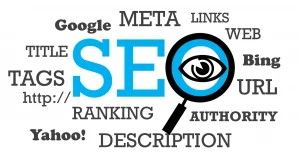
4. Add meta tags

Go to your website, right click and select View page source. Another tab or page will open with HTML / CSS code. Look for the meta tags—anything that starts with <meta>— and make sure they include a great description of what it is your business does so search engines will find it.


5. Tag your titles

Title tags is what is displayed in the title of browser and is considered by search engines to be a precise description of the page’s content. So make sure it has the keywords on which you want to be ranked higher, while at the same time accurately describing the content of the page. It is a good idea to keep your titles under 55 characters so that complete title is displayed, instead of being cut-off.


6. Create a sitemap

Insert a page on your website that links to all pages on your website, because it guides and allows search engines to crawl the website more intelligently and not miss out any key web page.

SEO-Marketing-4


7. Internal Links

It is important to link your web pages together, as it is looked upon by Google highly favourably and helps to crawl and read all web pages. So try to link relevant pages with specific keywords or phrases.


8. Monitor your results regularly

You won’t know if your SEO efforts are paying off unless you keep track of your search ranking and monitor the improvement. Use tools like Alexa and the Google Toolbar to keep an eye out on your standings.


9. Work on URLs

Make sure your URLs use words instead of a string of numbers, letters and symbols. And organize your directory to make it easy for visitors to know where they are on your site.


10. Link-Building:

Since the days of Yahoo, search engines have treated external links pointing to your website as votes of confidence for popularity and relevancy of the content. Google has refined the use of links to a fine art, and use complex algorithms to perform evaluation of websites based on this information.

Build relationships with other websites and link to them on your site. Then ask them if they will return the favor. That way, your audience will see their site, and their audience will be introduced to yours. It’s a win-win.

Links play a very important role in SEO, as search engines not only analyze the popularity of a website based on links, but also measures other metrics through it, like trust, spam, and authority. Trustworthy sites tend to link to other trusted sites, while spammy websites hardly receive any links from trusted sources.

SEO-Marketing-5


The steps mentioned above are the basic steps to get your website optimized and improve its ranking. Mastering SEO Marketing is a complicated, long-term effort and will require significant investment of your valuable time.

If you prefer to invest your time running your business, then our SEO experts would be happy to do it for you. Simply contact us at info@telkoware.com / (437)223-1771 for a free consultation today.

9 Reasons Why you should hire a professional website designer today

website-design-steps

Professional website designer

In today’s competitive business landscape, your business needs to stand out, in order to survive and thrive. One of the most important marketing tool to get more visibility is a website. Businesses that do not have a professionally created website risk losing potential customers on the Internet and in their storefronts. Today’s well-informed consumers research and evaluate products and companies before they decide to make a purchase. If your website does not seem professional or secure, they will simply move on to your competitor’s website. So every business needs a website that reflects their core values and unique value proposition that is different from competitors and is effective at bringing internet traffic and new customers.

Well, how do you ensure that your website has all these critical elements? A professional website designer can cater to your unique requirements while also providing expert advice on how to drive traffic and generate leads.

While marketing, sales and credibility are the 3 main factors for having a professional website for your business, these 9 reasons will help you understand why a professionally created website is crucial for your business.


1. Custom design
When you hire a professional website designer, a customized website will be created to meet your exact business needs. They will take the time and put in the effort to understand every aspect of what you do and what your brand is all about. The website designer will review products and services, and work with you towards your objective. Are you interested in generating online sales? Increased walk-in sales? Will your site be for informational purposes only? Once these and other questions are answered, your site will be designed to meet your specific needs. Do-It-Yourself (DIY) site builders have limited capabilities and restrict graphics and text. A professional web designer is not bound by these restrictions and can be creative.


2. Visual properties
A professional website designer is able to create a web site that is unique to your business, visually pleasing, has clear and easy navigation, loads efficiently, and works properly in all commonly-used browsers. The way your site looks, the way it navigates, and the colors and graphics used are very important. Visitors do not like to search for information, nor do they wish to be barraged with loud colors and crowded text. A professional website designer will know how to effectively use your brand’s color scheme and text to keep visitors on the page.

professional-website-designer-3

Also, with more than 60% of web traffic generated from mobile devices, it is critical for the website to be mobile-friendly, so that it is displayed properly on all devices with different screen size.

professional-website-designer-4


3. New technologies
Digital technology is evolving at a rapid pace. When using a professional web designer, you can be sure that the site is being created with the latest technologies and according to the latest trends, for optimal success. Many DIY site builders will not allow video, RSS feeds, sliders, pop-ups, etc, which can impact the overall look and feel of the website.


4. SEO compliance
Search Engine Optimization (SEO) is a technique used by professional website designers to improve search engine ranking on Google and other search engines. If search engines cannot find your site easily, your potential clients will not either, resulting in lost revenue. Your site must be optimized in order to be found.

professional-website-designer-1


5. Maintenance and Support services
You may think that once all pages of a website are built, it is complete. Designing and building a website isn’t a one-time task. It’s an on-going process that requires constant updates to keep them current and relevant to their industry. Technology is continuously changing, and for websites to remain popular and successful, they must remain up-to-date with these trends. When working with a professional website designer, you benefit from their support and maintenance services to keep your site updated and fresh. Also, they will ensure that your website is secure and unhackable, while taking regular backups, in-case the site is compromised. By taking away the burden from your shoulders and placing it on their own, it allows you to focus on mission critical tasks and primary business goals.

professional-website-designer-2

You might be thinking that today’s Content Management Systems (CMS) are very user-friendly and give you the control to update your website. Yes, it is true that a user-friendly CMS lets you change images, update content and even add or remove pages to your menu structure. But what happens when your boss wants to add a video loop to the home page? Or the VP of Sales asks you to create custom landing pages to go along with an ad campaign with a specific Call-to-Action? If you built your website on your own, these requests are likely out of reach, but not for a professional website designer.

professional-website-designer-5

6. Professionalism
A web design firm can create a website that is truly professional. Professional web design companies don’t just hire average designers and do not deliver average designs. They spend a considerable amount of time and resources in identifying the right people to work for them, so that they are able to deliver the best results for their client.

professional-website-designer-7


7. Receive services from more than one professional
A website design firm or company has experienced professionals, each having expertise in their domain including website design, website development, video development, graphic design and user-interface design, and content writing. So you get a team of experts with specialized skills and knowledge to develop your website.

professional-website-designer-6


8. Saving you time
Hiring a professional website designer gives you the benefit of hiring an expert who knows efficient ways to create a high-quality web site quickly.
You are an expert in your field, but you don’t know that much about web design or even what your business needs to be successful online. Professional website designers are experts in their field and already have streamlined processes in place that make the task more manageable. They know where to start, what questions to ask, how to communicate your brand’s message, and how to use layouts to your advantage. Plus, hiring an expert frees up more of your precious time to focus on your core expertise and running the business.


9. Greater credibility
Having a professionally designed web site will enable your small business to compete with larger companies. A professional website designer will be able to make a smaller company look like a larger company; therefore, giving small companies as much credibility as the large companies, thus bringing in larger prospects.


Many businesses do not realize the importance of a professional website design, nor do they see what damage a poorly constructed website does to their business. There is no reason for taking such a risk with your business when professional website creation is cost-effective and easily accessible.

Ready to enlist a website design company to handle your new website design? In desperate need of new leads through your website? Contact us at info@telkoware.com or (437)223-1771 at any time.

professional website designer

21 Must-Haves for Your Small Business Website to Attract Customers

small-business-website

small business website design

I am sure you already know that a website is a critical marketing tool for every small business, even if you are not selling your products or services online. It serves as a digital business card, providing valuable information about your small business to online visitors who enter your virtual web office, while building your business credibility and online presence.
Well, guess what? Thanks to latest software technologies, there are different options available to get a website for your business, including building it yourself through different online platforms, or hiring a small business website design company to get it done professionally. Whether you are designing your small business website yourself or getting it done through a website design agency, there are some important elements to have on your website, which will not only bring more traffic, but visitors will stick around for longer time, who can be converted into customers. Also, the website content needs to be compelling and attention-grabbing, while providing the right kind of information, so that the visitor finds what he/she is looking for and does not move on, to the next website.
To help you with all these challenges, I have compiled a comprehensive list of 21 things to make your small business website look professional and well-designed to potential customers, even if you are starting off with a simple, basic website. Here it is:

small business website design

1. Logo
The color and theme of your website follows the color theme and design of your logo, to build a unified brand image. So if you don’t yet have a logo, it’s time to invest in one. You can get a graphic designer to design a custom logo for $50-$60. If you are looking for a cheaper option, try Fiverr.com. You can get a logo there for $25-$50.

small-business-website-design-1


2. Products and Services Pages
This one is pretty obvious, from small business website design perspective. It is important to describe your products and services, even if you are not doing any online sales. This is the whole reason an online visitor came to your website in the first place to learn about what you offer. Give description with some professional images of your products or services being delivered. Include prices, too, if that makes sense.

small business website design

3. About Us Page
This is often the third-most visited page on a small business website, after Home page and Products / Services. So put some thought on the content for this page. Tell your story and background. This background information is especially important when your business is brand new because you can start building trust with customers who are hearing about you for the first time. This is a great opportunity to be authentic, show off your core values and share the story behind what motivated you to start your business.
Also, put yourself in your prospect’s shoes and try to answer: What is unique about your business? Why should I buy from you?” This is missing from many business sites because the owners haven’t done the strategic thinking necessary to figure that out.
Add photographs of you and your employees. Include their names and what they help out with. It helps build your business credibility that your business is not a one-man shop and is a full-time legitimate business.
Include a bit about your work history, or a few sentences about what prompted you to start your business. Your “WHY” is something another business owner can relate to, helping to build trust.

small-business-website-design-2


4. Hours of operation
You might be surprised at how many people are just visiting your website with the objective of finding the simplest piece of information, such as your store hours. So it should be clearly visible on your site.
Consider putting your hours in the header / footer area of your website, so that it is visible on every page. Don’t forget to update your business hours for the holiday schedules.

small-business-website-design-3

small business website design

5. Location
This is another valuable piece of information, so you might want it in the header / footer on your site. Include a street address and a mailing address, if those are different. The best way to display your location through a map. It is easy to integrate Google Maps to your website, which makes it easier for them to find you.

small-business-website-design-4


6. Contact information
As a growing business, you don’t want to turn away potential prospects by making it difficult to get in touch with you. You never know who might find you — through someone sharing a link or finding you by searching keywords — and what opportunities your website can offer to your business.
With most website builders, adding in a simple form can help you field and organize your contact requests. You should give the option of contacting your business through various channels, including phone, email, and contact form and let the prospect choose the one that he/she feels most comfortable with.

small-business-website-design-5

small business website design

7. Phone Number
This is the most basic piece of contact information a small business website can have. And yet, according to the SCORE study, 27% of small businesses do not have a contact phone number on their website. Make sure you’re not part of that 27%. Put your phone number on every page, preferably in the header at the top, so people don’t have to scroll to find it.

small business website design

8. Email Address
For email address, you can use a generic one, like info@xyz.com / sales@xyz.com, or a specific one, like michael@xyz.com. Whatever you decide to use, make sure it has your company’s domain name at the end. It should not be a free email address (michael@gmail.com).

small business website design

9. Contact Form
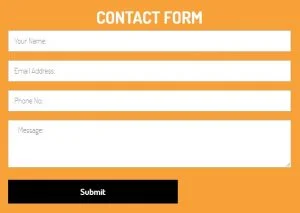
Include a contact form on your site, either in footer or on Contact Us page. Make sure you ask enough information so that when you get the inquiry, you can have an idea of what your prospect needs.
Please ensure that all contact form inquiries go to a mailbox that gets checked frequently, so that any new leads don’t get lost.

small-business-website-design-10


10. Third-party validation / Testimonials / Reviews
This means customer testimonials, client lists, customer reviews, case studies, awards and recognition you’ve received, positive news clippings and so on and so forth. Potential customers indeed want to know who you do business with, and what current customers have to say about their experiences. Such items help build trust on your expertise. Reaching out to a few key customers to ask for a testimonial can go a long way in building a brand reputation. Often asking for a quote and the permission to publish it is all you need. If you’ve got enough customers saying great things about you and your business, create a whole page of testimonials.
You also have the option to request your customers for reviews on Google and then link it with your website. That way, any new reviews posted on Google automatically shows up on your website and it looks much more credible than the permanent testimonials on your website.
It is helpful to display logos of some of your big customers, but make sure you get approval from them first.

small-business-website-design-6

small business website design

11. Secure Socket Layer (SSL)
SSL is an encryption system that helps protect the privacy of data exchanged between a customer and a website. If you have an e-commerce site that takes credit card information, customers want to know that their sensitive data is encrypted. Even if you are doing online sales and collecting payment information, it is better to get SSL, as it helps with your website ranking, as Google looks at those websites favorably. You may have to pay an additional $50 to $100 to your web hosting provider for it.

small-business-website-design-11

small business website design

12. Ease of use and navigation
Have you been to small business websites, where you have to click multiple times and go to different pages to find the information you are looking for? Well, if people can’t find it, they will not play detective and move on to the next website. So it is important to keep your site crisp, clean, simple, and easy to navigate. I would suggest configuring Google Analytics (https://analytics.google.com), so you can study traffic and usage patterns and make any necessary adjustments, based on what visitors are coming for.

small-business-website-design-7

small business website design

13. Special offers and personalization
By personalizing a sale with a special offer, incentive or coupon, small businesses can gain an edge on their bigger competitors. It can be as simple as free gift wrap services or a special discount offer on future purchases for repeat business.

small-business-website-design-8

small business website design

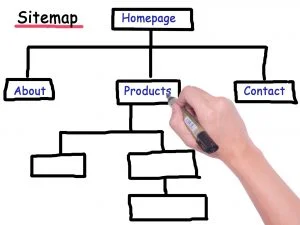
14. Site Map
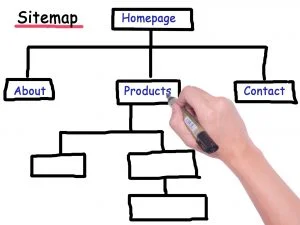
Think of site map is a hierarchy of all web pages of a single website. It shows visitors and search engines how the site is laid out and which sections are where. Make sure you have one, if you are focused on optimizing your website for search engines.

small-business-website-design-12

small business website design

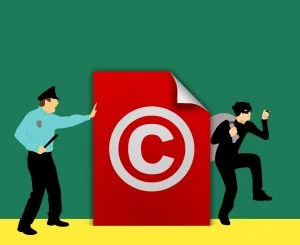
15. Copyright Information
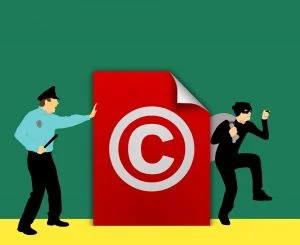
Your website should carry a copyright notice to protect its intellectual property. It is generally in the form of “Copyright © 2018, Your Company Name”.

small-business-website-design-13

small business website design

16. Imagery
A picture can say a thousand words. Investing in your own custom imagery of your products, office, and staff can give a boost of trustworthiness to your business.
If you don’t go the custom imagery route, there are plenty of free or inexpensive stock image resources out there, which you can download and use. Just make sure to adhere to any copyright rules. Some of the most common free image resources are https://pixabay.com, https://stocksnap.io, https://unsplash.com, and https://pexels.com.

small-business-website-design-14

small business website design

17. Social media accounts
According to the Hubspot report, The Social Lifecycle: Consumer Insights to Improve Your Business, 70% of consumers aged 45 to 60 think a brand should be on Facebook. 95% of millennials expect a Facebook page.
You don’t have to be promoting your business on all platforms as it requires a lot of time and effort, but building a social media presence can give you a competitive edge and almost be a necessity in many industries. If you have a company Facebook Page, Twitter profile, or other social media account, don’t keep them as silos — integrate them into your website by including links and asking your web visitors to connect with you. If you decide to integrate, make sure you have a sizable no. of followers and upload posts regularly. Deserted social media business page with few followers doesn’t help the credibility of your business.

small-business-website-design-15

small business website design

18. Call-To-Action (CTA)
Congrats! You got online visitors to land on your website. Now, you lead them to perform a specific action that helps you connect with them. It is not just important to capture their attention, but to engage them with your business on a long-term basis through various strategies, such as a newsletter sign up form, or to follow your business on social media.
If you were trying to sell something, would you skip the part of your pitch where you actually asked someone to buy? Would you just give them the information, and then walk off? Of course not. So don’t forget this part of your pitch on your website. Include at least one call to action, ideally near the top and bottom of every page.

small business website design

19. Email Sign-up Form
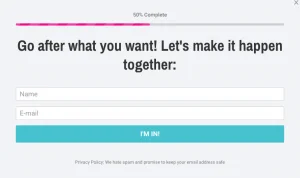
Email marketing is one of the most effective marketing tactics around. We know from our own survey that about 45% of small businesses use emails as part of their marketing strategy. Even if your business is at a stage where you don’t utilize email marketing, it is better to start collecting email addresses and building your list from now onwards, so that you have a sizable list when you are ready to start sending out emails.
You can get started with a free MailChimp account and grow your list from there. Your website designer can easily integrate your Mailchimp account to email sign-up form, so that any email address entered on it, automatically gets added to the list in Mailchimp. Adding the opt-in form to a website is as easy and any good web designer or developer can do it in an hour.

small-business-website-design-16

small business website design

20. Light and Fast Web Pages
Have you heard? People are impatient. They’re especially impatient with websites. Every page on your site needs to load in less than three seconds, and ideally in less than 2 seconds. Missing that 2-second mark could mean thousands of dollars in lost sales over the next few years, simply because your site is a little slow.
Well, how do you get a fast website? Fast hosting will help get your pages to load quickly. So will keeping image sizes small. Beyond that, you may need the help of a website developer or a designer to optimize web content and ensure any large files are compressed to its smallest-possible size.


21. Mobile-Friendly Website
Most of your website’s traffic will come from smartphones, not computers or laptops. Therefore, it is absolutely critical that your website looks good and functions well on mobile devices.
Being mobile-friendly may mean using a “responsive” design – a design that adjusts itself nicely to different screen sizes automatically. Make sure you ask your Website Designer to build a mobile-responsive website and test it on your phone and tablet. You can also test it through mobiletest.me

small-business-website-design-15

small business website design

It is critical to invest some time on your small business website to ensure that it has all basic elements of a great website. It does not have to be perfect from Day 1. As your business grows, you can update your website and add more features and content to it.

If you are wondering whether your small business website all the right elements, then don’t worry. We are happy to do a free audit of your website and provide a detailed report of improvement recommendations to help you win more customers. Simply send us an email at info@telkoware.com or call us at (437)223-1771.

small business website

Promote Your Business And Boost Sales With 4 Simple Steps Of Digital Marketing

online-marketing

Before I jump into the details of Digital Marketing and its steps, let me first explain what it actually is.

What is Digital Marketing?
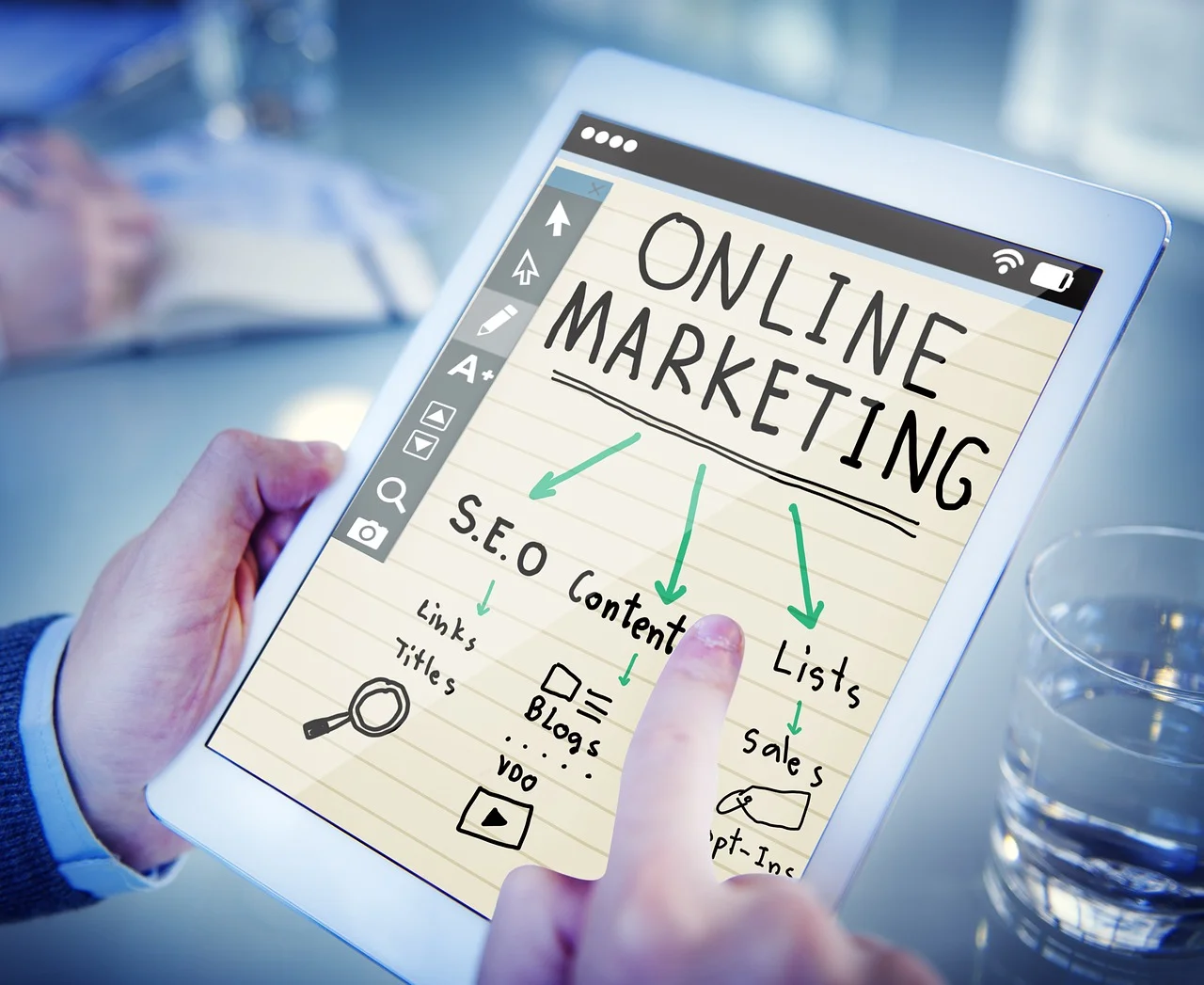
Digital marketing, also known as Online Marketing is using different internet-based channels to create awareness about your products and services to its potential customers. The methods used for Digital Marketing include email marketing, social media marketing, search engine optimization (SEO), and search engine marketing (SEM), Pay-per-click advertising (PPC), content marketing, and affiliate marketing. The objective is to reach prospects through the channels where they spend most of their time reading, searching, shopping, or socializing online.

Digital-Marketing-1

Digital marketing services

Why Digital Marketing and not Traditional Marketing?
The Internet has revolutionized sales and marketing techniques and has become an indispensable tool for reaching customers for many companies. But business owners aren’t exploiting the full potential of the Internet to increase sales. Many small businesses don’t even have a website and the ones that do have it, don’t use it effectively, which means poor returns on investment and frustration for busy, results-oriented business owners.
Just because you don’t sell stuff online does not mean your business is OK without internet presence. Your potential customers may still look for your website or social media pages to learn about your business and that’s where Digital Marketing plays a vital role.

More and more businesses are shifting from traditional marketing strategies to digital marketing strategies. Business owners have to cater to this growing need and use the digital channels to promote their goods and services. Traditional marketing services will no longer cater to the customer needs. Companies like Google, Uber, American Express, and Airbnb are some of the pioneers in the digital marketing business. They create content and promote it through various digital channels, which draws attention of millions of customers, which in turn help them generate leads and subsequently convert them to paying customers. So why would you not invest in Digital Marketing?

Digital-Marketing-2

Digital marketing services

4 Steps of Digital Marketing
There are 4 steps to develop and implement a successful Digital marketing strategy:
Step 1 – Create a basic online presence for your business by building a website, social media accounts, and any e-commerce tools for your business.
Step 2 – Drive potential customers to your online properties.
Step 3 – Measure the results of your online efforts through reports and analytics.
Step 4 – Analyze the results, learn from them, and improve your efforts for better results.

Let’s dive a little deeper into each step, so you have all the knowledge and tools to build your Digital Marketing plan.

Digital marketing services

Step 1: Create an online presence


Planning:

Before you jump into building the online presence of your business, think about why you want online presence and what you want from it. Do you want to sell products through your website? Do you want to generate leads / prospects? Do you want to build your business credibility and brand? Do you want to share detailed information about your products with your visitors?

Then identify the target market / ideal customer you would like to reach with your online efforts and what kind of content will get him interested.

Digital-marketing-3

Setting up:
A website and social media pages are your business’s storefront on the Internet, promoting your business 24 hours a day. Even if you don’t sell online, prospects will visit to learn about your products or services. If they find it confusing or unappealing, or not there at all; they may go to your competitor, instead of contacting you.
To setup your website, you can purchase a domain (for e.g. www.telkoware.com) from GoDaddy, Tucows, or BlueHost, that represents your business name and your brand. Then you have to purchase a hosting account, where your website and emails will be stored for easy access through internet. Then you can install WordPress, which is a free website building platform to build your web pages. It is a simple, user-friendly platform, which does not require any technical knowledge.
If you have some budget, you can also hire a website designer to create a professional, visually appealing website. Either way, the key is to get started. At this stage, you need a web platform that presents your company in an attractive and professional way, gives you basic functions and allows you to add features as you learn and progress.
Despite the importance of an online presence, many businesses have a website and social media pages that are unattractive, tricky to navigate or ineffective at converting visitors into customers. If you suspect this is your problem, it may be time for a makeover.

Social Media:
It’s vital these days for businesses to consider having not only a website, but also a presence on social media platforms, like Facebook, LinkedIn, and Instagram. Social media is where customers increasingly look for information about businesses.

Social media pages also allows you to promote your business with no upfront costs or technical skills.

Digital-marketing-4

Creating and maintaining social media pages is a great way for companies to foster an online community of current and potential clients, who can become your advocates and help you get noticed online.
But entrepreneurs shouldn’t underestimate how challenging it is to consistently generate appealing content regularly to keep your audience engaged.

E-Commerce:
E-commerce has revolutionized the way we do buying and selling, but many businesses are missing out.
The good news is that getting started in e-commerce has never been simpler. No longer do businesses need to invest huge sums in an e-commerce website.
You can create a sales-ready pre-built e-commerce website through Shopify, or by installing woo-commerce plugin on a WordPress website. These services allow you to create a basic website that includes an online store with a shopping cart and ability to accept payment via credit cards, PayPal, or other methods. It also allows the functionality to offer an online product catalogue, options for customer reviews and feedback, and data on your sales to help you track performance.

Digital-marketing-5
Be sure that your online store or portal has a professional look, attractive product images, clear descriptions and an easily navigable layout so visitors can quickly find what they’re looking for. Make sure it’s simple for customers to create an account, search your catalogue and place an order.
Finally, don’t neglect order fulfillment. Before you launch your site, make sure your company has the infrastructure to handle orders, shipping and returns.

Digital-marketing-6
The convenience of online ordering can help you attract more customers. It can also streamline order processing and fulfilment, thus reducing costs and errors.

Digital marketing services

Step 2: Drive potential customers to your Digital properties
Now, your website and social media pages are up. So how do you get potential customers to visit? Even more importantly, how do you get them to buy your products and, ideally, spread the word about you to others?
A beautiful website is not much useful, if it is not getting any attention. It’s like a beautiful store stuck in the middle of a desert.

Digital-marketing-7

Marketing on the Internet is different from other forms of advertising. Traditional hard-sell marketing is often a turn-off for Internet users.
Instead, adopt a soft-sell approach, especially in your social media messages. Share interesting, fun and educational content blended occasionally with direct marketing messages.


Email Marketing:
Some may consider it old-school, but it is still one of the most effective forms of marketing and generates a lot of response. The idea is to collect email addresses of existing and potential customers and regularly send them a newsletter with interesting content, useful links, promotions or other high-value content.

Digital-marketing-8
Build your list of contacts by inviting web visitors to sign up for your mailing list in a call to action button or pop-up. You can also collect email addresses when people enter contests on your social media pages and through a sign-up form in-store.


Content Marketing:
The objective of content marketing is to product content that is interesting, engaging, and full of valuable knowledge and insights. The most common form of Content Marketing is blogging, in which you regularly post a blog on your website on a topic that is relevant to your business and to your brand.

Digital-marketing-8

There are many other forms of content, including ebooks, white papers, infographics, videos, case studies, forum posts, photos, podcasts, press releases, webinars, etc. Make sure you use the right form on the right platform. An e-book of 10,000 words may not be suitable for a blog post. A video may be more suitable to explain a new product, instead of writing an article explaining about it. Content Marketing helps your SEO efforts, so it gives you additional benefits and becomes more effective in getting new prospects.


Affiliate Marketing:
So what is affiliate marketing? It is simply a referral fees or a commission that you get for referring a product or service to someone and he buys it. For e.g. you know a great shawarma place and go there often and have become friends with the owner. When you mention this shawarma place to another friend and he goes there to eat, he mentions your name to the owner. The owner records it and gives you $5 for referring his business to your friend.
In the digital world, how Affiliate Marketing works is that you get your own personalized link of every product that you want to promote. If someone clicks on that link and buys that product, the commission or referral fees of that sale is deposited in your account.
You can setup Affiliate Marketing for your business, so that if anyone brings a customer and that customer ends up buying your product, he / she gets a referral fees for it.


Search Engine Optimization (SEO):
If people can’t easily find your business on the web, you may be missing important opportunities.
Sites that appear on the first page of Google search results attract 90% of web search traffic. Sites on the second page attract just 14% of web traffic.

Digital-Marketing-9
The art of improving your search rankings is called search engine optimization (SEO). The objective is to optimize your website and its content, so that Google shows it on the top for a particular search keyword or phrase. There is white-hat SEO, black-hat SEO, on-page SEO, off-page SEO and local SEO. As you can see, it’s a whole different world, which I will cover in detail in my next post.


Search Engine Marketing (SEM):
What SEM is that instead of optimizing your website and content to come on top through SEO, you simply buy your way to the top. SEO is a long-term strategy, as it takes months of effort to improve the ranking, while SEM is a short-term strategy, where you pay and be on top within an hour. Your ad will be shown to the visitors, searching for specific keywords, which is part of your target list and you only get charged if someone clicks on your ad. That is why it is also known as Pay-per-click (PPC).

Digital-Marketing-10

Buying online ads for your company can be a cost-effective way to gain more Internet traffic for your web properties and boost sales.

Social Media Marketing (SMM):
When used properly, social media can help propel a business to an increased level of visibility. It is huge and businesses leveraging its popularity are making big bucks using it. The key to getting attention and building traffic on your social media pages is to regularly post engaging content that builds a loyal following, generates interaction and gets shared.

Digital-marketing-11

It’s generally a good idea for your business to have an account on every major social media site to reserve your place and protect your brand. Some of the most popular ones are Facebook, Instagram, LinkedIn, Twitter, and Youtube.

Digital marketing services

Step 3: Measure the results of your digital efforts
This is the best part of Digital marketing. With traditional marketing methods, you cannot accurately measure results to see if those advertising expenses are really paying off. But with Digital Marketing, you can easily calculate to see if you are getting return on your investment of website redesign or facebook posts.

Many businesses that have trouble getting results from their online efforts are simply failing to measure the impact of their efforts and act on this critical feedback.

Tracking tools:
Free tools such as Google Analytics allow you to measure your website’s traffic volume, how long visitors stay, where they’re coming from and what kind of device they’re using.
Information is also available on the link that visitors follow to buy something through your website or take some other action. All of this information allows you to continuously tweak your site design, content and marketing campaigns, based on what’s working best.

You can get similar data on your social media efforts by using free analytics tools available on most social networking and blogging sites.
Keep in mind that you shouldn’t just measure basic data, such as the number of social media fans. It’s even more important to track the volume and quality of interactions on your sites—comments, likes, retweets and so on. This kind of data tells you if your site is attracting the right kind of visitors that are engaged and have a good chance of being converted into a paying customer.

Digital marketing services

Step 4: Learn and adjust
The Internet offers unprecedented data on your marketing efforts, but if you don’t use this intelligence to optimize your web efforts and social media efforts, you’re wasting your time and resources. Many companies create a basic website and social media properties but then put little effort into optimizing them and wind up frustrated with poor results.

Digital-Marketing-14

Digital  marketing services

There are 4 stages in this step:

Stage 1: Review your website and social media pages to make sure they are meeting your basic requirements. They should be user-friendly for visitors, so that it is easy to navigate, with clear calls to action on all web pages and prominently featured contact information. Also, it should present your company in an attractive, professional way that is consistent with your branding and overall business strategy.

Digital-marketing-17

Stage 2: Based on the setup of online tracking tools explained in Step 3, look for information on what is working best on your website— and what you need to improve or replace. Experiment to see which tweaks improve your results. For example, does a bigger font, different positioning or a new call to action increase the number of people signing up for your newsletter? Gauge the reaction to value-added content. If you post a new photo on your website, do visitors look at it more or less often than they looked at the previous one? How many photos are ideal on various webpages? Is a video better? Which social media posts get shared most? Which generate the most comments?
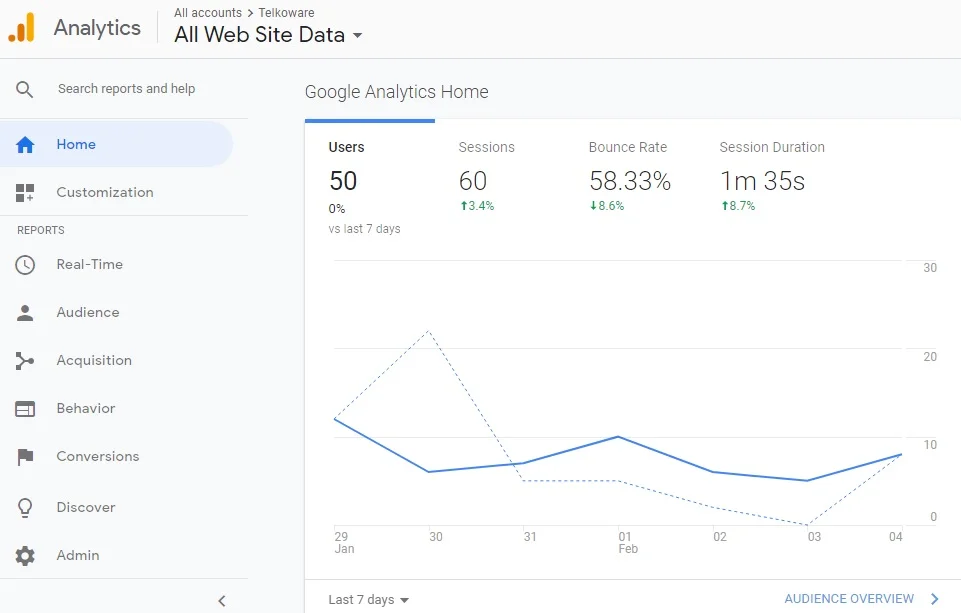
Work to improve your findability in search engine results and on social media. See which keywords have less competition and are searched frequently and are relevant to your business.

Digital-marketing-16
Focus on ways to improve the conversion of visitors into paying customers. This can pay off more than efforts to get more traffic to your site. For example, make sure forms are simple and easy to fill out. Also, align calls to action with content on different pages. Visitors are more likely to subscribe to a newsletter if the subscribe button is beside a useful how-to article.
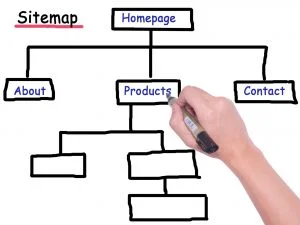
Stage 3: Once you’ve mastered stage two, you’re ready for the next level of sophistication. Here’s where you optimize your online presence in creative ways to enhance your brand still more. Optimization at this advanced level can even involve revising your business model.

Stage 4: Create an omni-channel customer experience, by coordinating your efforts with all your other activities to offer a seamless and satisfying customer experience.

Digital-marketing-15
If you’re a retailer, this means coordinating your online and in-store efforts to make sure sales reps are aware of your online and offline campaigns. They should be ready to honour coupons and update a client’s loyalty card if needed.
Sales reps answering the phone should be aware of your Digital Marketing campaigns and other web efforts.

Digital-marketing-16
Look for creative ways to give customers and other online visitors an enhanced role. For example, you could hold photo and video contests, run guest posts, and publish customer testimonials. Some companies even use crowdsourcing (input from their online audience) to enhance products.
Offer more in-depth material to solidify your place as an industry leader and build your email list. This includes eBooks, white papers and blog posts about developments in your field.
Integrate your e-commerce or other web efforts with your back-office tools, such as accounting, inventory, order processing and returns.

Digital marketing services

Did you like this post? Please post your comments below for other readers!

If you would like to discuss your Digital Marketing needs, please reach out to us at info@telkoware.com or (416)278-0734. We can design a Digital Marketing strategy that produces maximum results for your business.

Google cares if your business website is mobile-friendly or not, and so should You !!!

google mobile-friendly website

Google has been focusing to make the internet a friendlier place for mobile device users, but now it has launched a ‘mobile-first’ version of its index, which will have a significant impact on how websites are ranked on Google search results, with preference to mobile-friendly website.

What does that mean for your business?

It means that having a mobile-friendly website is a must-have for every business – particularly those involved in internet marketing. If you have a business website or an online store, you simply must have a responsive website for all users, whether they’re visiting via computer / laptop, smartphone, iPad / tablet, or any other smart device.

Before I dive into the details of how to make your website mobile-friendly, let’s understand what ‘mobile-first’ index means.

mobile-friendly website

What is ‘mobile-first’ index?

Google collects information on every web page in a massive catalogue, known as an index, which it then uses to formulate and display search results for various queries. Up until recently, Google primarily viewed web pages through the eyes of a desktop user, treating mobile pages as important, but secondary to those desktop pages. Now, Google is treating the mobile versions of each page as the primary page to index, with desktop versions being secondary.

mobile-friendly website

What is a mobile-friendly website?

The simple definition is any webpage that can be viewed properly or correctly on a mobile device. For the most part, Google just cares that people will be able to load all pieces of content on your page, read the text without having to zoom or scroll, and interact with any buttons present.

Though Google is mostly concerned with all sites adhering to a “bare minimum” of mobile friendliness, it’s often worth the extra effort to make your site especially appealing or targeted toward mobile users.

If you want to check if your website is mobile-friendly or not, simply go to this Google URL and enter your website:

https://search.google.com/test/mobile-friendly

mobile-friendly website

How to make your website more mobile-friendly / mobile-responsive?

Here are some things to consider for a mobile-friendly version of website:

1. No Flash

Avoid developing any content on Adobe Flash Player, as it is not supported by Apple and some tablet and mobile devices.

2. No Zooming

Your website should be readable on a mobile device without zooming in or out, as it can be annoying for the visitor. Think carefully about the content you want to put on your pages, considering the small screen size.

3. Space around links

Keep ample space around links, so that visitor is able to click easily without having to zoom in, or click on the wrong link and then hitting the back button.

4. Correct scaling

If you website has mobile-responsive design, it should automatically scale to fit the small or large screen size. Visitors should not have to scroll horizontally to see all the content. Vertical scrolling is fine, but try to put all important content on the top to gain maximum exposure.

5. Verify mobile version:

To identify any errors on your website when viewed through a mobile device, visit Google’s webmaster tools to generate a report, at this link below:

Mobile Usability Report

If you want to check if your website is mobile-friendly or not, simply go to this Google URL and enter your website:

https://search.google.com/test/mobile-friendly

mobile-friendly website

Do you know of any other tips and tricks to make your website mobile-friendly? Please share it in the comments below.

mobile-friendly website

Avoid 14 common pitfalls to build the best website and win customers

Digital-Marketing-14

best website

Your business website is a valuable marketing tool and a critical part of your business. Unfortunately, Canadian businesses are lacking on this front. Based on recent data from Statistics Canada, 46.6% of all Canadian businesses did not have a website in 2017 and only some businesses that had a website had advanced e-commerce features such as the capability to receive payment online (8.5%), or collect customer information (31.6%). This is worrisome, because businesses that do not have an online presence risk losing customers to competitors. Internet technologies such as search engines, e-commerce platforms, and online marketing has made it easier and faster to generate leads and sell outside your local market. But if you have tried various Digital Marketing techniques like SEO, social media, Search Engine Marketing (SEM), content marketing, etc to bring visitors to your website and are not giving any results, then it’s time to analyse your website to understand what’s wrong, so that it can be fixed. Avoid these 14 common pitfalls to build the best website and attract lots of customers:

best website design

1. Don’t make people search / figure out / think

Visitors come to your website looking for specific information and if they are not able to find it easily, they will simply move to the next one. Do a 5-second test; if visitor is not able to find relevant information or figure out what to do within 5 seconds, website needs to be fixed. The pages should be setup in a hierarchy with most important pages on the horizontal menu bar on the top of home page, with drop-down menu for sub-categories or sub-topics. That way, visitor can quickly glance at the menu and click on what he/she is looking for. Also, I would highly recommend adding a search box on top of every page, which makes it very easy to search for relevant information.

best-website-design-1


2. Don’t expect visitors

There is a common misconception that “if you build it, they will come”. Just putting up your website will not automatically attract visitors. You have to develop a digital marketing strategy around your website to bring visitors. Depending on the type of product / service you sell and the target market you are after, it can be a combination of Search Engine Optimization (SEO), Search Engine Marketing (SEM) / Pay-per click ads (PPC), Social Media Marketing, Content Marketing, or Email Marketing. If you are not sure which one to invest in, build your customer persona and see where does your ‘ideal customer’ hang around and can grab some of his attention.

best-website-design-2


3. Don’t spend all your money at once

Don’t spend your entire marketing budget on getting a website. You can get a decent website with 10-15 pages for under $1,500. As your business grows, you would like to update and enhance your website further. Also, you want to focus on other marketing avenues like search engine optimization (SEO) and social media marketing (SMM) to bring visitors to your website.

best-website-design-3


4. Don’t have an outdated blog

If you have a blog, make sure you are posting a new blog regularly. Or else it will backfire as visitors will think either your company is out of business or really small with owner doing everything.

best-website-design-4


5. Don’t have social media buttons, with few followers

If you are placing Facebook, Linkedin, Twitter, Instagram, or other social media buttons on your website, make sure you have a sizable no. of followers. If visitors see few followers, they will lose trust and think you have just started and don’t have any credibility. So build your social presence through social media marketing and then add it to your website.

best-website-design-5


6. Don’t target every visitor

If you try to target and please every visitor that comes your way, your website will be a mess with no clear content, theme, and call to action. Focus on your specific target market with whom you have a better chance of converting into a customer.


7. Don’t add vague or fake testimonials

Testimonials play an important role in building trust and credibility, but they need to be genuine and specific. “Great work. Highly recommended..” is extremely vague and doesn’t seem very believable.


8. Don’t use inconsistent color combination

Please don’t use a different color on every webpage, or use too many colors on a single page. The color, design, and layout should be the same throughout the website, to make it look appealing and professional. The best way to choose color palette is to stick with the logo color throughout the website.

best-website-design-6


9. Don’t use too many images or videos

Images are important and should be used on every web page of your website, to grab the visitor’s attention quickly. Only word of caution is not to over-use it, as it will delay your website’s loading time. Most of the visitors will quickly move away if your website is taking a bit too long to load.


10. Don’t overcrowd the web pages

If you fill up your web pages with text, graphics, images, and videos, visitors will feel overwhelmed. I would strongly advise using the white space, allowing visitors to digest the information that you have presented. If there is a lot of stuff to talk about, break it up into categories or sections and spread it out on a single page, or among multiple pages, with clear navigation.

Make sure your typography is well spaced and easy to read (preferred font size is 14) so that customers can easily read and digest your website content.


11. Don’t forget to use headlines

Many studies have proven that headlines are consistently the most viewed items on a web page, even over images. So use them wisely.

Bold, concise headlines attract eyeballs because users want to see if it has the relevant information that they are looking for.


12. Don’t forget to make your website mobile-friendly

I can’t stress on this point enough, as more than 60% of web traffic originates from mobile devices. So you need to make sure that your website is accessible and presentable on smartphone, tablet, and laptop, of various screen sizes. The easiest way to test it is to open the website on mobiletest.me and check the results.

best-website-design-7


13. Don’t design the website from your perspective

This is a no-brainer, but people are so focused on their products and services that they forget about the most important aspect of their business; customers. So always try to think from the customer’s point of view on why would they come to your website, what information are they looking for and how will they find it, why should they sign-up for the newsletter, etc etc.

best-website-design-9


14. Don’t expect an awesome website overnight

Good websites are not built overnight. They require several revisions to create that perfect look and feel with the right content to grab visitors’ attention and make them take one of the actions specified in your call-to-actions.

best-website-design-8


Have you noticed other pitfalls that should be avoided to create an awesome website? What else can be done to make visitors stay longer and keep returning to your website? Please share your thoughts in comments below.

business website