
Warning: Undefined array key "url" in /home/telkowar/public_html/wp-content/plugins/seo-by-rank-math/includes/modules/schema/snippets/class-author.php on line 41

Telkoware

5 Best Mobile App Development Platforms to build your dream app

mobile-app-development-platforms-1

In today’s fast-paced world, we’re surrounded by technology in everything we do. We use mobile applications for daily tasks like waking up with an alarm app, reaching our workplace using Uber, and even entertaining ourselves with OTT apps.

The rising dependence on mobile applications has inspired companies to develop custom apps. Today, you’re able to create apps for almost every type of business or venture, including logo making app, appointment calendar, productivity app, etc. However, as user-friendly as these apps seem, mobile app development is anything but a cakewalk!

There are several mobile app development platforms that can be used to create a mobile app. These platforms allow mobile app developers to design and build custom mobile apps to give users a valuable service and fulfilling customer experience.

Are you interested in developing an app for your business? Then you have come to the right place. You can get started with any of these five mobile app development platforms to create your very own mobile app – whether you are looking to develop an app for social media, food ordering, appointment at a salon, or even an eCommerce app!

1. React Native
mobile-app-development-platform-2

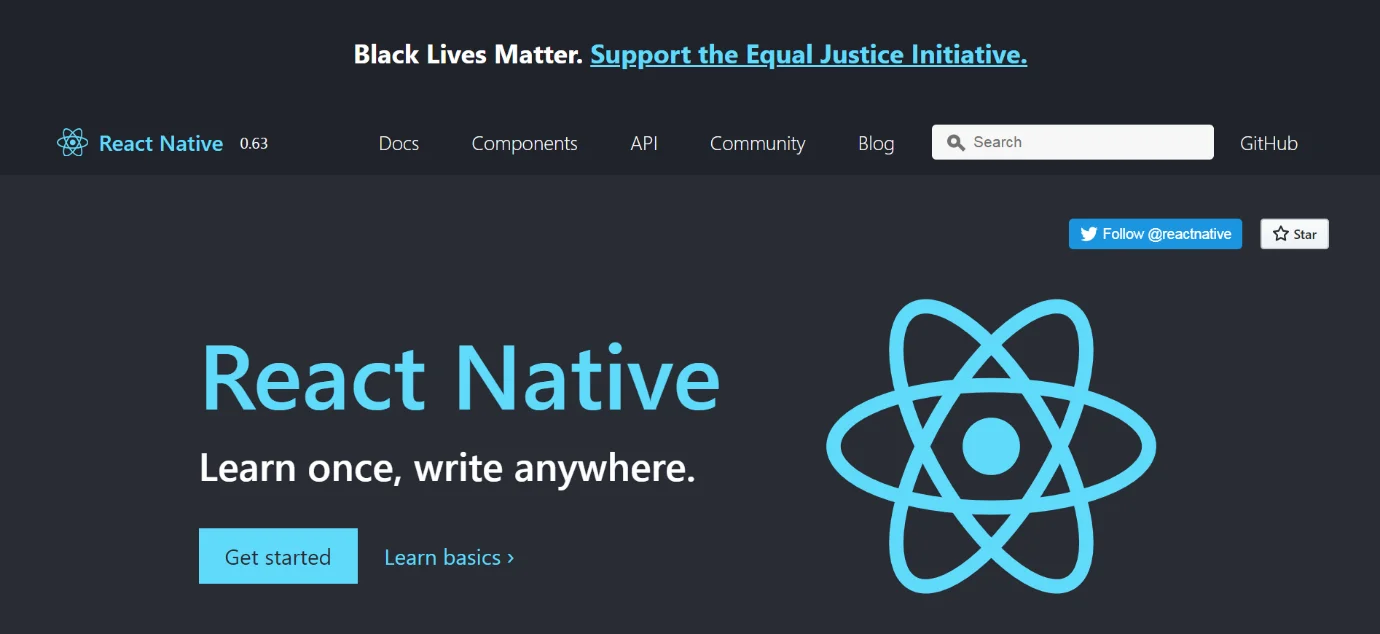
React Native is one of the most well-known mobile app development platforms. It was developed by Facebook and launched in 2015. The Facebook Community strongly backs this cross-platform software that is used to create apps for iOS and Android.
The React Native software is built on ReactJs that works through Javascript. The JavaScript base allows the applications made through this software to work at a faster speed. The platform thus creates reliable, secure, and stable applications.
You can use React Native to create simple, engaging as well as high-quality UIs. This mobile app development platform features regular updates, libraries, and new functions to help you with the app development process. This software also ensures that changes made to the original program code are reflected quickly. It receives support from IDES such as Visual Studio Code, XCode, etc.

Top Features:

●   Stability
●   Security
●   High-Speed
●   Cross-Platform Software

Pros:

●   Identical UI for Android and iOS
●   Solid Community Support
●   Budget-efficient
●   Easy to find an experienced developer

Cons:

●   Absence of native developer
●   Random app issues
●   Not tested by many expert software developers.


2. Flutter 1.0

mobile-app-development-platform-3
Flutter is a Google-developed framework. It was introduced in 2017 and offers cross-platform mobile app development services. This software can be used to create innovative and interactive apps.
Flutter uses Dart as its programming language, which requires a single codebase for app development. It backs plugins for Visual Studio Code, IntelliJ, etc., making it a stable software for creating rich UIs. It also offers quick bug fixes for mobile apps.
Although Flutter is comparatively new in the industry, it promises great quality. It has helped create many high-performance mobile apps. It offers a smooth user experience for both iOS and Android users. Within just a few years of its launch, it has become quite popular with mobile app developers.

Top Features:

● Native support
● Fast bug-fixing
● Smart and Innovative UI
● Widgets

Pros:

● Fast coding
● Interactive UI
● Fast performance
● Compatible software

Cons:

● Limited Library
● Not Web-Browser Compatible
● Heavy App Size
● Custom Coding


3. PhoneGap
mobile-app-development-platform-4
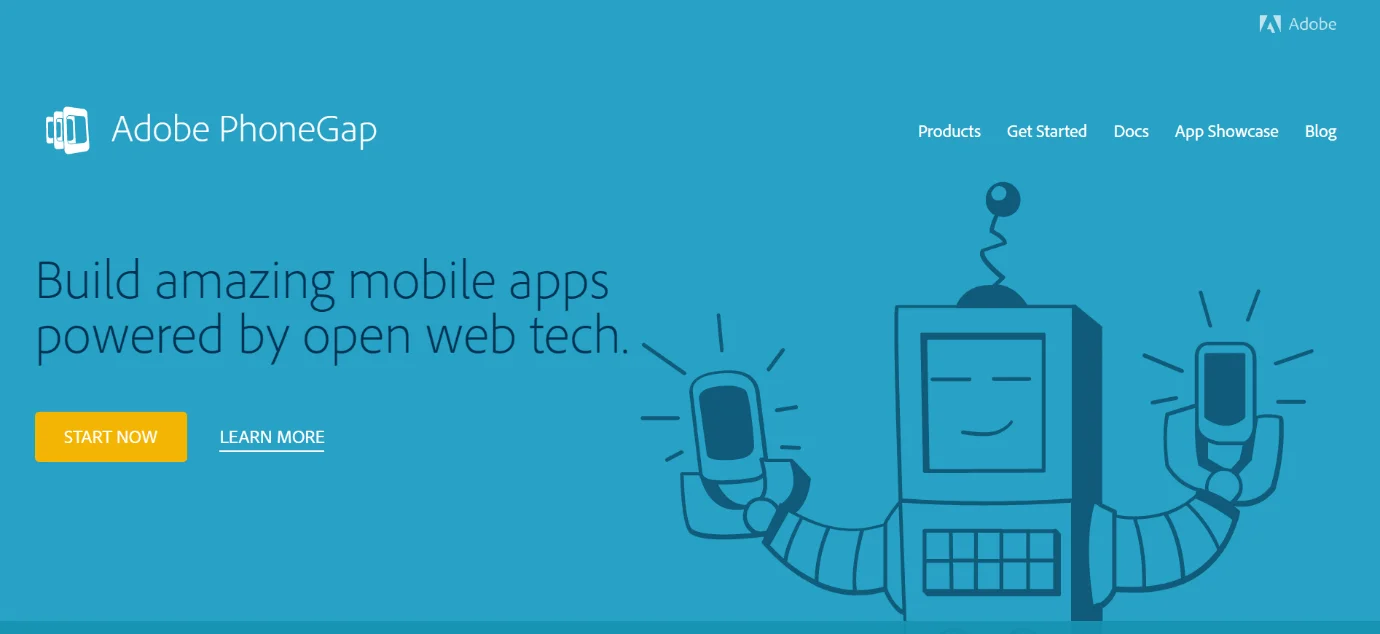
PhoneGap is an efficient cross-platform mobile app development software that was launched by Nitobi in 2009. This framework was earlier called ‘Apache Cordova’ and is open-source software.
You can use CSS, JavaScript, and HTML5 to create apps through this platform. Developers need to write the program code just once and launch it across different devices. It is a very simple software that doesn’t involve any complex coding procedures.
PhoneGap promotes high-performance interfaces as well as quality mobile app design.
It also supports additional features like GPS, Storage, Camera, etc. There is also a feature to divide tasks among several developers who can work simultaneously on a single app.
It is a quick mobile app development software that saves time as well as effort. It promotes high-quality design and a smooth UX.

Top Features:

● Compatible with cross-platform development
● Native Support
● Robust Security
● Web-Browser Compatible

Pros:

● Single Code
● Easy-to-use
● Fast Testing

Cons:

● Slightly weaker graphics
● No widget support


4. Ionic
mobile-app-development-platform-5
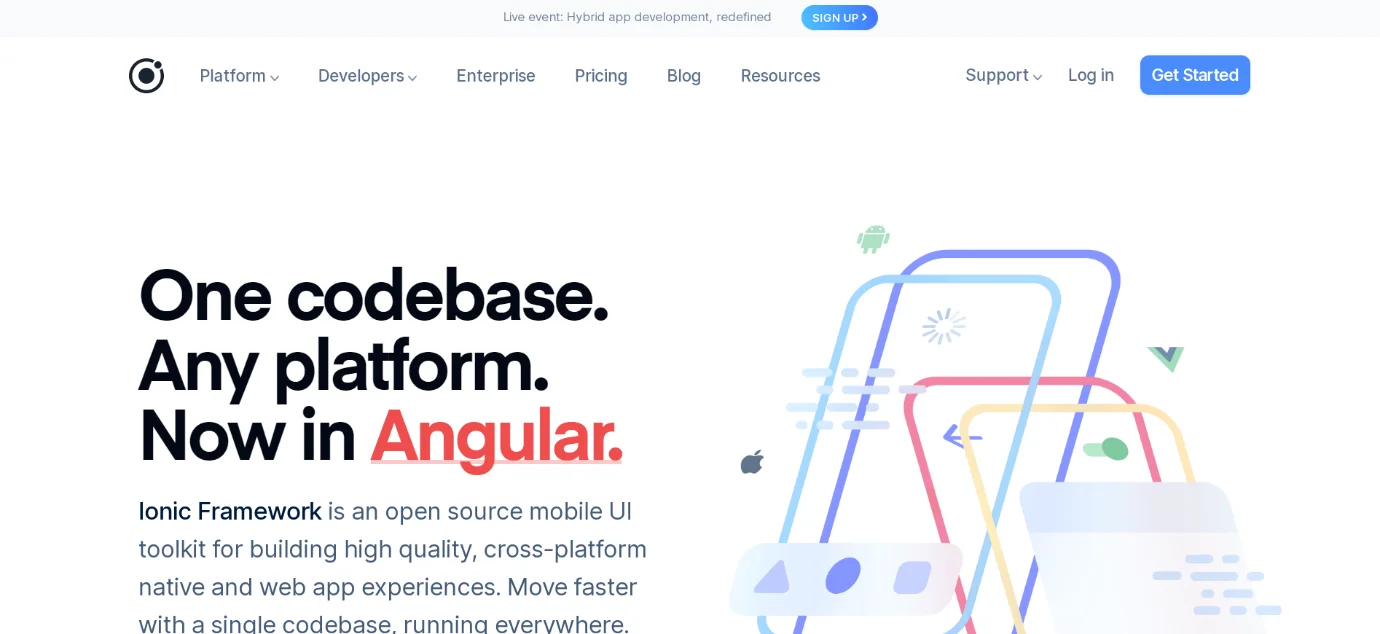
Ionic is a mobile app development platform that was launched in 2013. It was coded using JavaScript, HTML, and CSS. This software requires a single code for cross-platform mobile app development. It is a secure and reliable software, and quite popular with app developers.
Ionic is mostly used for front-end applications. It provides API options to access native support with a JS Code, using which you can create Android and iOS compatible apps. This software also uses native UI rules and SDKs so that you can get greater accessibility while developing the app.
Apps made on Ionic have engaging as well as interactive designs. It offers a rich app user-interface as well as a wide range of features to promote high-quality performance. It is a very popular software that is known to build aesthetic app designs.

Top Features:

● Cordova supported plugins
● Cross-Platform Application Development
● JavaScript Compatibility
● Core Libraries

Pros:

● Low Development Cost
● Desktop Compatible
● Fast bug-fixes
● Stability

Cons:

● No hot reloading
● Highly dependent on plugins
● Heavy App
● Not very secure


5. Mobile Angular UI
mobile-app-development-platform-6
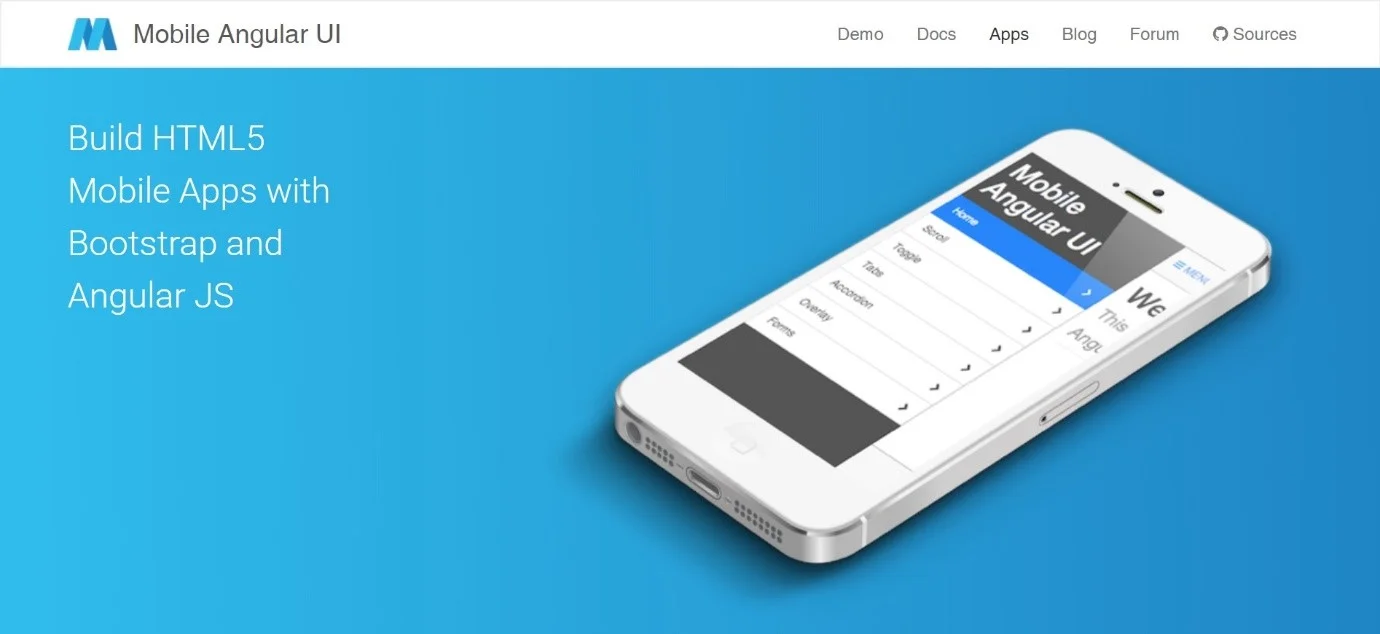
Are you looking for a software that develops highly responsive apps? Mobile Angular UI is an effective mobile app development platform for you. It is an open-source framework that operates free of cost.
Mobile Angular UI is also ideal for developing HTML5 compatible hybrid mobile apps. It is supported by Twitter Bootstrap and the Angular software that produces a high-quality app. It consists of several UI features for apps like sidebars, switches, scrollable places, overlays, navigation bars, etc.
Mobile Angular UI is used to build attractive as well as AI-powered UIs for mobile applications. Several core libraries also support this framework making this a highly scalable software for developers.
It is thus a consistent software that builds smooth-functioning apps.

Top Features:

● Small App Size
● Responsive Apps
● AI support
● Attractive UI

Pros:

● Twitter Bootstrap Support
● Angular Software
● JavaScript Compatible

Cons:

● Learning issues


Things to consider when selecting a mobile app development platform

With quite a few reliable mobile app development platforms are available, it can get a little challenging to choose the most suitable one. The decision is dependent on your business requirements and type of mobile app. Here are some key factors to consider:

Target audience

The target audience of your business determines the best platform for mobile app development. You should have an idea about geography, demographics, likes, and dislikes before creating a mobile app. This could be country-specific or interest-specific too. This helps in narrowing down the options you are considering for mobile app development.

The user behavior

Having a clear idea about the user’s behavior is crucial. For instance, you need to know how much your target audience would be willing to spend while using the application. This factor again can be categorized as per location as well as the age-group of the users. The mobile app development cost should ideally get covered well, and there should be additional profit margins too.

Features of the application

This is another essential consideration when looking for valuable mobile app development. A platform for development might be at the #1 position on the list. However, this does not guarantee that it will help you create the features you are planning to, without much hassle.

Compatibility with the devices

You need to do research about the types of devices your consumers generally use to access the apps. Some mobile app development platforms are better than their counterparts when it comes to supporting the devices. Some requirements also demand the development of hybrid applications. Thus, it becomes even more necessary to look into the support aspect of the devices when designing or developing an application.

The expectation of users

When you develop any mobile application, your target audience will have certain expectations from the application. For instance, they might expect their compatibility to be excellent, or they might want it to be compatible with both phones and tablets.


Final takeaways

A decade ago, there weren’t much mobile app development platforms available. The ones that were available had performance, speed, quality, and UI/UX issues and were not up to the mark. The last 5 to 10 years has seen a boom of incredible mobile app development platforms.
Technology has made it possible to develop cross-platform mobile applications using a single code. You can develop quality apps with rich graphics and AI-compatible features. Most apps are also interactive and provide live customer support.
Mobile applications have bridged many geographical gaps. They have improved logistical support in almost all industries. From medical support to a last-minute get-together, everything can be managed through apps.
So, as technology evolves and new mobile app developments are introduced everyday, you can rely on these 5 platforms to help you build your dream app today.

Our team has vast experience in developing high performance, digitally transformational and fully packed native, hybrid, and cross-platform mobile app on iOS and Android.
Please contact us today for a free consultation at +1(437)223-1771 or info@telkoware.com


How to Use Your Website as a Customer Magnet and Improve Conversion

website-customer-magnet

A lot of time, effort and resources go into creating a professional, business website. You pay for designing and developing the website, spend hours in selecting the right design template for it, and end up investing in some expensive Pay-Per click campaign (Google ads) to promote it. But if you are struggling to convert those website visitors to customers, then keep reading to find out what could be wrong and how to fix it.

The thing is, website design should be more focused on your target market; people who fit your ideal customer profile and are more likely to convert. Creating such a website requires a lot of thinking and planning. Below, we share with you 5 guaranteed ways to guide your design process and help your website become a powerful sales funnel with lots of potential consumers.


1. Pay Attention To the Visuals

More than anything, it’s the visuals that inspire people to visit you and remain on your website for long. High-resolution images, original photography, a fantastic professional logo, attractive display of colors (whether neutral or otherwise), and strict adherence to the site’s color scheme show your potential customer that you know what you are doing.
Let’s break it down into three important aspects:
• Original photos
• Consistent color scheme
• Visual hierarchy
We are going to understand these three by using a live website example: Tejchauhan.com.
Tej Chauhan is an emotive industrial design artist who designs futuristic and intuitive products for a wide range of industries.


His site is a study in using original photography to its maximum impact. The products are impressive already but are presented with such simple and beautiful prominence that it enhances their appeal. Using original photography is a must if you want to appear authentic to your audiences.
Stock photos make you look lazy at best and shady at worst. Taking original photos isn’t expensive or difficult. Just use a good camera (your iPhone will work) and take real photos of your products. Original pictures add integrity and authenticity to the business.
Also, choose a color scheme and stick to it. Tej uses blue, grey, white and a spot of red/orange. This visual symmetry makes the site look professional and allows the products to shine. It tells a potential customer that people taking care of this business are organized and structured.
The site uses colors as well as fonts to create the hierarchy. Solid tints of color are given center-stage while pastels are used in the background. Simple fonts in varying sizes tell us which part of the information is most important and should be looked at first.
To bring the highest-potential consumers to your site, attract them with solid web design: simple, to-the-point, and containing original pictures that they can trust.


2. Responsive Design

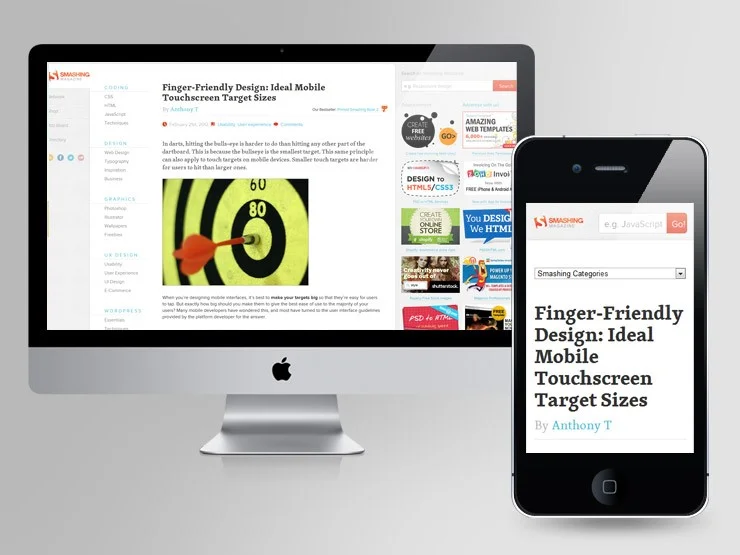
Web designs that change their dimensions and the way they display information with altering screen sizes are called responsive designs. For example, if you are viewing this on a mobile phone, the text size, photo resolution, and alignment, etc. will adjust themselves to fit your mobile screen.
Even when you are on a desktop and try to resize your window, a responsive website should alter its dimensions and visual presentation to fit the changing size.

website-customer-magnet-3
As you aim to bring more niche and high-potential customers to your website, keep in mind the fluid way they access the Internet: through their smartphone, tablet, desktop, laptop, etc. When you design a website that responds to the user’s way of accessing it, it adds phenomenally to the user experience. Google consistently ranks responsive sites higher in SERPs and demotes sites that aren’t. As a result, with responsive design, your site’s SEO directly improves.

The two most defining features of responsive web design:
• Flexible grids that automatically rearrange themselves to fit the screen size they are being viewed on.
• Flexible visuals with resizing containers that allow the heavy files to exceed specific dimensions.

Responsive web design allows your site to not hurt its visual appeal no matter the size of its container screen.
And while you are at it, you might also consider delving into mobile first optimizations of your website. Some aspects that you may consider, include, designing for small screens so that they are easy to navigate; information is clearly visible on mobile as well as imagery and layouts are uncomplicated. The aim of the mobile first design is to ensure that mobile users can quickly access your business information on the go and make quick decisions. If it’s not viewable and clickable, then it will most likely result in lost customers. This is why it’s worth investing your time in this.


3. Loading Speed

Nobody has time to wait for a site that takes more than 3 seconds to load; no way. People aren’t even waiting for Amazon to load only a second slower, so you and I don’t even have a chance. People equate a site’s load speed to its credibility and professionalism.
It’s very similar to why visuals are so important to people. It’s about impression as well as ease of use. The site that loads fast gives people what they are looking for instantly. If the images on your site are rich and heavy and will take a bit of time to load, make your text load faster so people have something to do besides getting frustrated.


website-customer-magnet-4
Page load speed also affects your search rankings. Google routinely penalizes sites that are slow to load. And by slow we mean they take 3 seconds to load. Can you believe that? Probably not. In these ultra-fast times, fast internet has psychologically trained us to expect results faster and anything a bit slower just looks bad and unreliable to us.
While people are not forgiving for slow-loading desktop websites, the majority expects the mobile site to be a tad slower than its desktop version. And that’s also because of habits. We are used to mobile sites that are slower to load – but it’s changing. With Google’s mobile-first indexing policy, sites need to perform better than or as well as their desktop counterparts. So, you don’t have a lot of leeway.
Make your loading speed better and keep your visitors engaged. This also holds true for buying behavior. If your website is not allowing customers to purchase the item they want at that moment, then they will most probably move on to your competitor. Keep that in mind the next time you are at your desk tweaking your website for improvements.


4. Get Rid Of Click baits And Popups

website-customer-magnet-5


How many popups have you clicked on lately? Or any of the clickbait sites that you visit regularly and have become a patron of?
The reason is people don’t usually engage with popups click-baits; the former is annoying and the latter is just misleading. They distract you, throw a hurdle in your user journey, and do not offer anything of value. Some people argue that popups work and bring in valuable leads. Counter argument: yes, incessant telemarketing works too but does it make it less annoying? A lot of people simply do not engage with popups and close them off as a reflex.
It’s true for click baits too. Phrasing your content headings in ways that entice users is fine but then the content should be ‘more’ of what the heading was and not just a big, fat lie. Seriously, rid your website of all popups and click baits. And even if you really have to, then make it more user-friendly. A clickbait that only pops up when user show their intention of interacting with the website or they are looking for the required information designed in the popup; or even popups that help divulge important information about the product or deal. The key to successfully include such popups without annoying the customer is by allowing them to make the choice to click them off easily.


5. Trust Badges For Ecommerce Sites

Trust badges, testimonials, and reviews add the trust factor in your website. It tells people that your business is legitimate and that others have engaged with it and found the experience satisfactory. Hopefully even more than satisfactory.


website-customer-magnet-6
Ecommerce sites especially gain trust and credibility with display of trust badges from credit card companies and other digital payment service providers. Customers view these buttons as assurances of a safe, secure and convenient checkout process. Trust badges also include security icons and other details that let users know their payment will be securely handled and processed.


Conclusion:

Your website design is your first impression on a potential customer. To attract the most ideal customer to your website, invest in learning all you can about that ideal customer’s ideal user journey on a site. You can do that by research, analysis, and by engaging with a focus group of your ideal customers.
If your startup cannot invest in such costs at this stage of the business, our website designers can lend a helping hand. Feel free to reach out to us at info@telkoware.com OR (437)223-1771.


Author Bio
Alice Scott is a passionate writer and blogger who specializes in topics related to digital branding, blogging, and online business. She loves having Churros with her cat Chubby and morning walks.

8 Tips to drive business growth during Covid-19 pandemic

During these challenging times of Covid-19 pandemic, businesses are looking for creative ideas to not only recover, but grow during this crisis. Every business is unique, which means it has specific challenges and has to overcome the crisis in its own ways.
In order to ease the financial strain, small business owners are cutting costs, seeking government and other external funding, but most importantly, looking to generate revenue.
But as we all know, maintaining or increasing revenue during this health crisis is not easy. So here are 8 useful tips to help you generate revenue and drive growth for a speedy business recovery:


1. Generate revenue online

In this new all-digital era, we need to think about how to adapt our products / services to be sold online. Whether you are a brick-and-mortar retail store or personal services provider like massage or yoga, now is the time to set up an e-Commerce store, offer your classes online, or create related products or services to sell in the virtual storefront.

For example:
– A massage therapist can offer self-massage tutorials and tools.
– A yoga instructor can offer classes online or sell yoga gear and clothes.
– A restaurant can offer home delivery through their website, or sell a cookbook with their recipes.

Think creatively to come up with ideas, but most importantly, identify your target market’s pain points and address them creatively, while maintaining social distancing.


2. Offer gift cards for future use

If you don’t offer gift cards today, well now is the perfect time to do it. Online gift cards are a great way to increase your short-term revenue while retaining your customers. They work especially well if you’re unable to digitize your services. But please keep in mind that this is accrued revenue for the products or services yet to be provided; it is truly earned once the product has been delivered or services have been rendered.


3. Adjust, not abandon, your marketing strategies

During these financially difficult times, you might be inclined to cut marketing and advertising budget. While analyzing its effectiveness is a good idea, completely demolishing your marketing budget might not be a great idea, because you are cutting off future leads, eventually drying your sales pipeline and suffocating your business.
Instead, think about how you can adjust your marketing strategy to continue to sell and bring in more revenue.
Shift your marketing focus to your online store, rather than brick-and-mortar one, by offering free shipping, exclusive sales, and discounts. You may want to switch from traditional marketing methods like flyers, banners, to Digital Marketing, by focusing on Social Media Marketing, Search Engine Optimization (SEO), Search Engine Marketing (SEM), content marketing, etc. Explore and experiment with different marketing strategies to see which one works for your business and gives you the biggest bang for your buck.

Digital Marketing


4. Ask your staff about new ways to generate revenue

Instead of letting your employees go, think about ways you might shift their responsibilities to focus on marketing and finding new leads in new target markets. Rather than dictating how this works, get everyone together to share ideas and solve problems in new and creative ways. You never know what new idea can turn out to be a gold mine. On top of that, involving your employees in business direction will not only result in more sales, but more invested staff with a high morale.


5. Consider price adjustments

If it’s been awhile since you reviewed or adjusted your pricing strategies, take a look at them now. Take some time to not only review your competitors’ pricing, but also how the economic impact has changed the market dynamics. It might make sense to reduce price to increase sales volume and reduce business overheads through economies of scale, or it might make sense to increase price to provide a premium, white-glove service to a niche market. If a special sales event is coming up, adjust your prices and offer discounts to attract lots of customers.


6. Take your Networking Online

If you enjoy connecting with other business owners and professionals frequently via different networking meetups, seminars, and exhibitions, then you will notice that Covid-19 crisis has migrated most of those events online. If you host any in-person meetings or would like to attend one, then it is time to explore popular video conferencing solutions like Zoom, Webex, Teams, Google Hangouts, etc. I know it will initially a bit awkward, but you will get used to it very quickly.


7. Increase your social media presence

What better way to spend time than promoting your business on social media? By posting regularly, you not only keep your existing customer up-to-date on latest business updates, but also generate interest in new potential customers.


8. Spend time enhancing and optimizing your website

As mentioned earlier in this post, this is the best time to build your online presence with an e-Commerce website. But if you already have one, then spend some time to review and update the content that has become outdated. Optimize the content to improve your search engine ranking for specific keywords that are relevant to your business and industry. Significant jump in ranking will only happen with long-term efforts on a consistent basis. The rewards of an optimized website are definitely worth the investment. There is tons of content on the internet for you to read and apply it on your website.

SEO-Marketing-5


I am sure there are many more tips and tricks to help your business during this crisis, but the ones explained above will give the biggest bang for your buck, in a short period of time.

We know the financial pressure of the coronavirus outbreak is intense, and we want to do everything we can to support small businesses like yours. Feel free to reach out to us at anytime at info@telkoware.com or (437)223-1771 for a free consultation on how to implement any of the strategies explained above. We are all isolated and socially distanced, but we are not alone. We will win this battle together.

13 Key Traits to look for in a Web Development Company before hiring them

web development company

Website is a vital component of your marketing and business strategy. It is an extension of your physical business presence, thus providing a virtual experience for your consumers to purchase your products or services. To partner with the right web development company for such a critical part of your business is not an easy decision.
Gone are the days when a business website was designed using a cookie cutter template on GoDaddy, Wix, Weebly, or other drag-and-drop website building platforms. These days, if you don’t use web development professionals to help build your website, you will have a hard time standing out from the competitors in your niche. Therefore, it is essential to know the key traits to look for in a web development company, as well as knowing what to expect once you find the right partner. Here’s a comprehensive list of 13 key traits:


1. Close Collaboration on Web Design

You are an expert at what you do and understand your products and services better than anyone else. In the same way, a web development company is an expert in developing websites. So feel free to share your ideas on how your business website should look and feel, but rely on the ideas of the web developer. He/she will use his years of experience, latest design trends, and creativity to build a custom website, tailored to your unique business needs. You will be amazed to see the end result; it will turn out to be much better than what you had in mind.

web-development-company-1


2. Expecting the Unexpected

We all know that running a business is not easy these days, when you have to compete with others offering similar products and services. That’s why, there needs to be more emphasis on your business’ unique value proposition; i.e. the unique qualities that makes you stand out from your competition. Also, you need a unique marketing and sales strategy, which you can brainstorm with web development company. With more focus and better ROI on Digital Marketing, website plays a critical role in the development of marketing and sales strategy.

Digital Marketing


3. Search Engine Optimization

There is a common misconception that if the website is up, people will somehow find it. The truth is that the website has to be promoted via different channels to drive internet traffic towards it. The most popular channel everyone uses to find stuff on internet is search engines. The challenge is that there are millions of websites, with billions of products, competing to get to the top of search engine results for the popular keywords. What you need is a keyword targeted, search engine optimized website, with lots of valuable content and inbound links from other websites.
Please make sure that your web development company is an expert in search engine optimization, and knows how to target keywords, and more importantly, what keywords to target for your particular product or service. A website that is not optimized for Google’s ranking doesn’t stand a chance in ranking at the top, which means no new visitors from Google.

web-development-company-2

4. Professional Web Content

If you signed for web content copywriting services along with web development service, then you should expect professional, informative, well-written content, with marketing-oriented language. Content should be well-researched, keyword targeted, with the correct density, and should flow nicely throughout all web pages. Visitors will think highly of your company if your website copy is well written, concise, and grammatically correct and provides them with the information they are seeking.

Digital Marketing


5. Long-Term Strategy

Setting up a website is not a one-time project, which you just create and then forget about. In order to maintain and improve search engine ranking, website needs to be constantly updated with fresh content, latest design trends, and layout. You also need to continuously audit and re-audit the keywords you are targeting, to make sure that you are as high in the rankings as possible and that your website is optimized for all the keywords that potential customers use to look for your products and services.
Your web development company should be able to provide the long-term strategy to help you compete in your industry and improve your website ranking gradually over time.


6. Internal Processes

A well-organized web development company is like a well-maintained car; it will continue to run smoothly without any surprises. Therefore, a well-organized web development company should have strong internal processes in place. It includes project management, task distribution, resource allocation and resource management, communication, and reporting. You can sleep peacefully knowing that you will get the best-quality website on time, on budget, as per your expectations, irrespective of an earthquake or a COVID-19 pandemic.


7. Latest Standards

One of the most important trait is to ensure that the web development company is aware of the various industry standards and follows them. Many of these standards ensure that the website being built will perform well under pressure while also ensuring they meet different security standards and expectations. Not only that, but international web standards also ensure that your website is accessible for people with disabilities. Web Content Accessibility Guidelines (WCAG) 2.0 is the latest international standard for web content accessibility.


8. Easy to Scale Websites

It is vital for a website to be developed not only with the current scope of project in mind, but to also take into consideration possible updates and enhancements in the future. Many businesses have long-term goals and projects. It is important for the web development company to take into consideration the company’s growth plan, new services they are planning to offer, and future expansion of their existing website. Based on that information, web development company should develop website on a platform, in which it can be easily scaled with more web pages and more features. Not only that, but web development company should also suggest enhancements and latest features, as web development technologies evolve.


9. Security Taken Seriously

The web development company you decide to work with, needs to take security very seriously. Considering the no. of malwares and viruses being launched by hackers, security needs to be no. 1 priority, specially, if customers’ data privacy is at risk. A seasoned hacker should not be able to find holes in security or to take advantage of the functions of a website to infect the web visitor.

web development company


10. Simple Maintenance

Website should be designed in such a way that it is easy to maintain on a long-term basis. A professional web development company would have automation strategies and features that are made available to the client to reduce manual interventions. Whether you are looking to do a routine website backup or upgrade it to latest version of plugins, it should be fairly simple, whether it is done by the web development company or by yourself.

web development company


11. Take on any Challenge

A web development company that is truly an expert in their domain will take on any challenge that you throw at them. No matter how complex the business requirement is, they should be able to tackle it with a positive attitude and be able to deliver, as per your expectations, within the budget and before the project completion deadline. Also, they should be able to handle all aspects, including CMS, customer login portal, e-Commerce, etc. If you hear excuses of technology or system constraints, that is a red flag for you to re-consider your choice.


12. Customized Solution

Since your website is unique, you should be expecting a unique, customized website for your business. Website built using a cookie cutter template will not do justice to your brand, unique value prop, and key offerings. Anyone can build a website using GoDaddy, Wix, or Weebly platforms, which allow drag and drop functionality to build an entire website. But it restricts the design and layout, due to which your website will look like a plain template website. Web development company should design a customized website using any popular CMS platforms like WordPress, Drupal, Magento, Shopify, with HTML/CSS, to highlight your unique brand and offering.

web development company


13. Complete Development Services

A well-established web development company should be able to handle both back-end and front-end design and development. Not only that, but they should be well-versed in all essential and modern development tools, like PHP, Python, Django, Angular.js, or React.js. With all tools in their arsenal, they would build using the technology that is most suitable to meet your business requirements.


Once you have shortlisted a web development company based on the 13 traits explained above, you can be confident that you have chosen the right partner for a key part of your business. Once the web development project starts, you will not face any unpleasant surprises and the project will move smoothly towards successful completion.
With more than 5 years of experience in web development, Telkoware has successfully delivered 100+ projects and has gained reputation of a trustworthy and reliable partner. Feel free to connect with us for a free consultation at info@telkoware.com or (437)223-1771.

13 Common Myths Busted About App Development

app development

For a lot of small and medium-sized businesses, having a properly functioning app can help drive them to another level in terms of overall success.  Roughly 47% of all businesses have some form of mobile app, whether the company is based around the app (e-commerce, mobile gaming) or just a supplement to their other operations (coupon apps for brick-and-mortar retail, apps providing news about a given company).

Where the issues tend to start is when companies see the success their competitors may be having with application development, and run headlong into their own attempts without actually taking the time to fully understand what that entails. This is complicated by the fact that there are a lot of myths about app development out there. Taking any one of them as truth can result in you losing a lot of time and resources with little gain. Here’s a closer look at the truth behind them.


1. Anyone can manage fundamental app development.

To create a proper app design from start to finish, there’s a lot more work that needs to get done than you think. Remember, we’re not just talking about that initial creative spark, but functionality design, UX, and graphics. This takes a lot of industry experience to manage properly. What makes things even more complicated, as anyone in tech can explain, is that the world is constantly progressing around you. You’re not just developing a single app once, but will need to adjust to new tech trends, new OS features, new hardware, and even different devices. Is this something your team will be able to keep up with internally? If not, a third-party partner may make more sense.


2. All you need is an idea to get started.

Many small businesses tend to get ahead of themselves when it comes to the “idea.” To be fair, a good idea is behind every successful business, and the same applies to software app development. You should have, as a part of your starting platform, an idea that’s unique, but also reasonable. Ideally, it should be able to be scalable enough to keep up with existing trends. A good idea this year may not be effective next year, so you want something that you can adjust.

Along with a design that’s flexible, it’s also important that your budget is adjustable. For newcomers, budget fluctuation can be a major source of issues in the app development process. Ideally, you want to work to bridge the gap altogether between your concept and financial reality.

app development

3. Coding skill is enough to carry you through.

Does coding matter for app development? Of course it does, it’s key for all major mobile and computer platforms. However, where things go south is thinking that this is all there is. This myth also has coding experts rushing in to make apps, only to stall out when their expertise isn’t enough. Making a halfway decent app is going to require expertise in graphic design and UX, when it comes to the development end.

Outside of development, there’s a lot that goes on also. An app team needs to know marketing and hardware advancements. In addition, they need to understand different languages, sources of data, and backend systems. No solo act is ever able to put together a good app. A team with various talents and proficiencies is required.

app development

4. I need an app because everyone else has one.

The “Keeping up with the Joneses” mentality is a damaging one when it comes to business. The fear of missing out does not make for a concrete and defined business goal. What you do need to understand is that app development requires a heavy investment of time, resources, and money, even if you work with outside professionals to make it easier. So, be sure to do your research before making a commitment. What goals in business would an app help you accomplish? What’s your plan of action to move towards those goals after the app is complete?

app development

5. Operating System conversion is easy.

Say you have an existing app on iOS and want to convert it to Android or vice versa. You don’t want to make this decision lightly, as it’s not an easy one to implement. Creating a version of an app for another operating system means you need to rewrite massive portions of the app code, which takes time and money. There may be some backend parts that are shared, and don’t need to be developed again, depending on your needs. However, these are generally few and far between. In other cases, it’s essentially the work of coding two apps.


6. You can make changes mid-process, as long as you’re an agile organization.

Many organizations are trying to go “agile” in order to better handle the ebbs and flows of the business world, but sometimes this mentality goes too far. When you begin to put together your needs for app development, there may be voices within your organization that want to make changes to the feature/requirement list after the project has already started. This spells several issues, especially since a minor change doesn’t necessarily mean simply altering a few lines of code. Mid-process changes to an app can lead to a ripple effect through the entire project, which means more bugs and errors. This means more headaches for the development team but also more costs and delays for you. As a result, if the impulse strikes you to change up your user interface or add another feature, be sure to decide if it will really pose an added benefit. If not, it may be worth sticking to the plan and considering a software update later.

app development

7. You need to pile on the functions to succeed.

The more you have to offer, the better your app is going to do, right? Not necessarily. In fact, if you look at the most successful apps out there, most of these are relatively simple, with a clear and defined purpose. Whether it’s a navigation system, e-book reader, or a game, it needs to be clear. Being the “jack of all trades, master of none” is one of the last things you want to be as an app. Features and third-party integrations are some of the largest contributors to increased dev time, so you want to be selective here.

app development

8. Expensive graphics determine success.

As we mentioned earlier, graphic design is an important component of a successful app. Visual appeal is going to play a big role in getting that initial download and retention. However, a big role isn’t the same as the only contributor. If an application can’t fulfill its express purpose, or the purpose isn’t clear, it’s not going to do any good for a client, and they’ll just end up uninstalling it. While there’s no such thing as a silver bullet here, UX is pretty close. Your graphic design should be making your solid UX more appealing, not obscuring it.

On top of this, it’s important to make sure that your graphics stay on brand with what you already have. This can pose a challenge if the graphics team for your app isn’t the same as say, who designed your logo. It’s important to have graphic examples ready to make sure things stay uniform. The last thing you want is people confused about whether your app is affiliated with your company, or just a knockoff.

app development

9. You can afford to hold off on customer support.

Ideally, you want app users that start as testers for your materials to become long-term users, and potentially even convert further due to microtransactions and other sales funnels. However, this doesn’t happen if you’re not able to provide some form of customer support. This gives you the opportunity to guide your software updates (if you get a lot of complaints on a given issue, this may be worth revising) as well as a chance to build up customer confidence. If they don’t have a clear way to get their questions answered, it’s hard to have long-term interest in a product.

app development

10. App users = customers.

An app download is a great conversion for your company, but you don’t want to treat it as a substitute for other ones. There’s a major difference between an app user and a paying customer, especially if the app is free. Users will try lots of apps with an initial download. However, they have a pretty concrete idea of what they’re going to use and what they’re going to avoid within the first 3-7 days or so. In fact, 80% of apps in app stores get abandoned after first use. If an app is solid, and you can retain them through that period, you’re likely to hook them for a lot longer. This also gives you the chance to try and get further conversions, whether it’s microtransactions or a sales funnel to another product. It’s better to think of someone who initially downloads your app as a “prospect” as opposed to someone who’s committed to your brand.


11. Work ends when development is complete.

A theme that we’ve been repeating as the variety of different disciplines and skills that come into putting together an app for even a small/medium organization. However, when that stage is completed and you have an up and running product, the work doesn’t end. Depending on who you ask, the task may be just beginning. The next step between development and release is going to be a series of major testing regimens both for bugs as well as user-friendliness. The success of a given app is also contingent on a well-planned marketing strategy to keep it from getting lost on the store listings, as well as updates. You can expect to pay as much as 20% of your initial development costs yearly on maintenance.


12. If you build the app, the people will come.

On the topic of marketing, this is something that often gets missed, seeing as it’s not technically app development. However, it’s extremely important for app success, especially for a B2C product. To give you an idea, the App store has roughly 2.2 million apps. This marks an imposing mountain to climb to get to that all-important top 10 or top 15.

There’s an entire pocket industry that helps in terms of the shop itself, app store optimization. This helps you optimize your descriptions and tags to try and put your app in front of relevant customers. However, there’s other work you need to incorporate into your marketing channels. Customer segmentation, social media targeting, all of these are going to be important to try and funnel your channel traffic into an app.


13. Opting for custom app development will break the bank.

At this point, a pretty good case has been laid out for working with app development companies as opposed to trying to go it alone. However, when you first reach out to a company and get that initial quote, the cost may seem like a huge barrier to entry, compared to your typical off-the-shelf solution. However, you need to understand that any ready-made options are going to come with a hidden price. For example, if you find yourself needing to add more users in the development end, this will start to cost you more as your company expands. The same applies if you find yourself needing to take advantage of extra features later in the app’s lifespan. If you’re constantly changing your business operations around the limitations/updates of an off-the-shelf option, versus having something customized to fit your needs, there’s a major time cost as well. When you calculate all this together, custom web application development will end up saving you more than costing you in the end.

app development

When it comes to app development, it’s easy to get confused when it comes to the process of finding a provider and working together to create a final product for your customer. The best way to avoid any of these myths impeding your process and success is working with an app development company that has a proven track record of support. This is something that we offer at Telkoware. As an experienced IT solutions and services provider, we have a detailed history of successfully delivering innovative customized software development options to clients in diverse industries. We look forward to helping create new apps with.

Why WordPress Website Maintenance is important and how to do it step by step?

wordpress-website-maintenance


Have you bought a car recently? Once purchased, it has to be maintained to ensure that it has a long life and serves its purpose. If it is not taken for regular service and oil change, its performance will continue to deteriorate over a period of time, till it stops running.

Just like your car, website is also a very important business investment and needs to be maintained and protected, if you want it to run smoothly for a long period of time. Now you might be thinking that I haven’t touched my website in a long time and it seems to be working fine. Well, websites don’t present immediate issues. However, just like your health can fall apart if you go too long without a regular checkup, so can the health of your website. Just like your body gets attacked by virus, bacteria, and other diseases, your website also gets attacked by Hackers, who look for vulnerabilities in unmaintained websites and attempt to take advantage of it. You can help prevent it by following a regular website maintenance schedule. That way, your website will always be safe and secure, and in the event that your website does get hacked (even with all the security measures in place), you can restore the website with backup and have it up and running in no time. If you are wondering what that regular website maintenance schedule should look like, then don’t worry.

I have listed below routine website maintenance activities, with the frequency (weekly, monthly, quarterly, yearly) of when each activity needs to be performed:


Weekly Website Maintenance Tasks:

1. Check that all of your pages are loading without errors and have correct layout and design. An automatic plugin, theme, or wordpress update could have distorted any web pages, due to incompatibility issues.


2. Take a complete backup of your website and store it either on your local computer or in cloud storage.

Has it ever happened that you are working on an important document or assignment and then something goes wrong with your computer and you lose your entire work? If this has happened to you, you understand the value of taking backups. If you’re not careful though, the same thing could happen to your website. If a hacker is able to access your website, he/she can wipe out your website. As part of regular website maintenance, if you have taken a backup, you can easily restore it in a matter of minutes. Common WordPress plugin for taking backup is Updraft Plus.

Every website should be backed up at least weekly, in case something happens and the site needs to be restored. There are two website elements that need backup:

  • Code (Javascript, PHP code, HTML, CSS, themes, plugins, other files).
  • Content (Text, images, videos, audios, PDFs, docs, etc.).

If you host your website with us, it is automatically backed up every week.


3. Make updates to the website software. Just like you update the operating system and Microsoft Office on your laptop/computer, website software also needs to be kept up-to-date for security and performance reasons. For a wordpress website, this means updating the wordpress version, plugins, and theme. But as a safety precaution, take a backup first. That way, if there’s a hiccup, you can roll back to the previous working version.


4. Check that all of your forms are running properly. Just imagine finding out that your contact form stopped working after a website update and you lost business opportunities due to this flaw. If your website has any contact form plugins you want visitors to fill out, you want to be confident these all work properly as well. If any of your forms aren’t working right, you could be missing out on valuable leads, so make sure you catch the problem sooner rather than later.


5. Remove any spam comments from posts. Or you can configure blog, so that all comments are held in a queue for admin’s approval, before posted on website. If your website doesn’t have a blog, then you don’t have to worry about this task.


6. Check your pages to see if there are any broken links. When a visitor who could be a potential customer clicks on a link that leads to a 404 page, it’s embarrassing. When that dead link is on your website, it makes your business look unprofessional and leads people away from the page you want them to be on, which is why you need to perform preventative maintenance. Are you wondering why would you have broken links on your website in the first place? Well, you’ll end up with broken links on your website from time to time as other websites you link to move or shut down or change domains. Since you can’t avoid that, please make sure they don’t stay on your website long by either removing them or replacing them with updated links.

Finding broken links is not that difficult, since you don’t have to click on each and every link to see if it is still working. There are a lot of free tools available that automatically check websites for broken links, such as Google Search Console. Because these tools make the process so simple, you should easily be able to find and fix any broken links quickly.


7. Write one or more blog posts to keep your community engaged, which is one of the most effective ways to encourage SEO traffic.


Monthly Website Maintenance Tasks:

1. Check the load speed of your website and ensure that nothing is bogging it down. You don’t have to use a timer to measure your website’s speed. You can easily measure the speed of mobile-version and desktop-version through PageSpeed Insights tool, built by Google developers.


2. Review your security scans and make sure nothing is out of place. We hear about high-profile security breaches on the news, but there is a much higher no. of low-profile ones that we don’t hear about. Securing your website from hackers has to be a major priority for anyone that runs a website – and it’s even more important for eCommerce businesses who deal with customer’s private data.

One of the most important website maintenance practices to maintain security is checking that your wordpress platform, plug-ins, themes, and scripts are up to date. Usually when developers release updates for these, it’s to improve the security or patch up a vulnerability they’ve found.

Also make sure that your hosting provider updates the software and install upgrades, security patches, bug fixes or any other updates that may compromise the operating system or web server on which your website is hosted. Ideally, patches should be installed as soon as they are released. Failure to install a security patch may make your website vulnerable to an attack. Don’t procrastinate making those updates, or you could be putting your website and visitors needlessly at risk.


3. Analyze website statistics from the previous month to see if there is a significant variation in traffic. If you notice any abnormalities, it is quite possible that something is wrong with your website, due to which web traffic has suffered. Make sure to check the stats provided in Google Analytics monthly as a preventive website maintenance activity.

Google Analytics provides a lot of useful information about how people are finding and using your website, when are they using it and what device are being used to access it. Make sure that your website is accomplishing what you want it to and figure out what about it is working well and what still needs improvements by logging in to check your analytics at least once a month. Some businesses will benefit from checking it more often than that. New businesses, or businesses with new website can expect traffic to be slow to start, but it’s important to keep an eye on your website’s growth and success as you go. Google Analytics is the best place to do that and a crucial resource for finding ways to improve things like SEO and site engagement.


Quarterly Website Maintenance Tasks:

1. Review your website design and layout. Is there any room for improvement? Are you happy with the overall navigation and sitemap? Are visitors able to find the information quickly, or do they have to go through many hoops to find what they are looking for? Pay special attention to overall user experience, load time, missing or outdated content, inconsistent styles or formatting, typos or grammatical errors, features and business logic, and compliance with certain accessibility standards.


2. Check graphics and images. Are there any images that seem outdated or don’t reflect your business values or brand?


3. Review SEO and meta titles and descriptions to ensure they are as effective as possible. If you feel that there needs to be more focus on some new trendy keywords, then the meta data has to be updated accordingly.


4. Test pop-ups. Whether you are using pop-ups to collect email addresses, share any e-books or other content, or incentivizing a customer from abandoning shopping cart, it serves an important purpose and needs to work flawlessly at all times.


5. Test the mobile-responsiveness of your website. Whether the website is a 4-inch mobile screen or an 8-inch tablet screen, it should automatically adjust for every size, to look attractive and readable. Instead of buying a device of every screen size and testing your website on it, you can test it via mobiletest


6. Review Digital Marketing campaigns to see if anything needs to be changed or updated. Whether it is a social media post or google ads, all call-to-actions need to point to the right web page.


7. Restore a previous version of the website to check the health of your backup files. Making an assumption that the backup files will work once restored can prove to be a costly mistake, when your website is down or infected and your only source of website is your backup file. As it might have a missing file, or an error in one of the files.


Yearly Website Maintenance Tasks:

1. Update any reference to the current year. Please review all web content and if there is any reference to the current year, then update the year with the current year.


2. Review all content for relevancy. The content on your website should keep your readers coming back. No one wants to read the same content week after week or wants to look at outdated information about an event that happened long time ago. If you’re not updating your website, you are essentially telling your potential customers that you are not paying attention to your business or you may even be giving them an impression that you may be going out of business or have already gone out of business.


3. Renew your website domain name and hosting account every year. It would be catastrophic that you lose your website domain name and have to find a new one, which may not match your business name. Ideally, your web hosting provider should send a reminder to renew the hosting account and domain should get renewed automatically with it.


4. Consider whether a website design update is due. Website design trends as well as technology changes at a rapid pace and we need to keep up. Otherwise, our website will look outdated and visitors will simply move on to your competitors.


5. Test all Call-to-Actions (CTAs), such as click to call, check-out process, contact us form, etc and remove any errors immediately. This website maintenance activity will ensure that your website continues to bring new leads.


6. Review all of your top performing blog articles and see if they can be updated with new content. Updating the content will not only keep the content fresh and relevant, but will also improve Google search rankings and will help your overall SEO efforts. Let me explain how exactly it helps.

Google prefers websites that are fast, error free, well maintained and most important of all, have fresh content. So, every time you update the website, you are giving the search engines new content, which needs to be ranked in Google search results. That’s why you must ensure your website is regularly updated with material related to the topics, with which you want people to find your business.


7. Test browser compatibility. As time passes and updates are made, website layouts or technology may become incompatible with new browsers. Regularly review and test your website in various versions of the most popular browsers: Microsoft Internet Explorer, Google Chrome, Mozilla Firefox and Apple Safari.


8. Update dates and copyright notices. Review and update any copyright dates or any date-specific text or references throughout your website. Your homepage especially should not contain any stale or outdated information (e.g., a year-old press release).


9. Review and update legal disclaimers (annually). Review and update your privacy policy, site terms and conditions of use, terms of sale and any disclaimers to ensure they are compliant with policies and laws.


CONCLUSION

Just like car or home maintenance, maintaining a website is crucial and can save you time, money, and unnecessary trouble in the long run.

Get all these website maintenance steps on your calendar and stick with them. Your website will thank you!

If you don’t have the time or energy to perform these website maintenance activities, we can take care of it for you, whether it is built on wordpress or any other platform. Feel free to visit our website maintenance services page for pricing and other details. You can also reach out to us at info@telkoware.com OR (437)223-1771 to discuss further.


26 critical eCommerce Website strategies that can make or break your online business

Digital-marketing-16

Developing a customer-friendly, professional eCommerce website can be complex and time consuming, but if it has all the right elements, it will ultimately pay off in dividends. You don’t need a salesperson to run this online store, which is open 24 hours a day, 7 days a week, booking orders for customers automatically without any human intervention. But the biggest challenge is how to persuade online visitors to spend more than 30 seconds (average time a person spends on an eCommerce website), browse through available products, make a selection and complete the checkout process to place an order. Here are 26 critical strategies to provide the best-possible online customer experience and boost online sales:


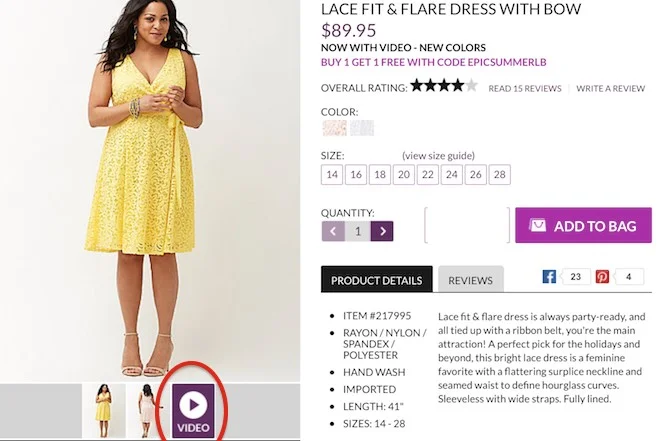
1. Product Demo Videos

Video is a great way to show buyers what they’re really getting. When we think of demo videos, electronic gadgets come to mind, but it can be for anything, including clothes to show how they will look like while in motion. The video will help persuade the online visitor in buying the product.

ecommerce website design


2. Boost your Ecommerce Sales with Promotions and Special Offers

There are different ways of offering promotions / discounts / offers to not only attract visitors to your website, but to convince them to make the purchase. Here are a few options:

  • Percentage-based discounts – Full retail price is shown, but struck off with the sale price.
  • Buy One, Get One free – Who doesn’t love free stuff
  • Quantity-based discounts – If a certain quantity is bought, you get a percentage off the total price or get an item free. This can be attractive to consumers as well as distributors looking to buy in bulk.
  • Reward points – With every purchase, customer earns reward points, which can be redeemed towards a future purchase.

ecommerce-website-1


3. Free shipping

Your eCommerce site is up, a customer loves what you sell, and just before they hit “confirm purchase” they abandon the sale. Why? It’s no secret that everyone loves free shipping. Shipping charges during the checkout process contribute significantly to cart abandonment. Apart from eliminating an expense many of your visitors may be expecting, free shipping can simplify the entire sales process. Research shows that 93% of online shoppers say free shipping would encourage them to buy. Your company doesn’t necessarily have to eat the shipping costs, you can simply “hide” your shipping charges by embedding them directly into the price of the product.

ecommerce-website-2


4. The WOW Factor

We have all heard of that “wow factor” that gives customers a unique experience they won’t experience anywhere else. You want your customers to feel that way each time they visit your site, through the design and layout, stunning images, and outstanding content. You want them to spend more than the average 15 seconds a person spends on a website because you offer something unique and amazing.

When designing your e-commerce website, always look for ways to make it a more pleasant experience for your customer. Think of their expectations when purchasing items from your website, and then work to move beyond those expectations to create an unforgettable experience. For example, once an item is placed, you can provide tracking information similar to how Amazon, or you might want to send status update emails on where the ordered product currently is.

ecommerce website design


5. Build Credibility

People are much more likely to buy from a website with proven credibility than the one that feels fake and looks unprofessional.

You need to prove you exist by giving a place and face to your organisation. You can do this by listing your address and phone number.

Another great way to show there is an organization behind your brand, is to show them the people behind the scenes. You can put images of your employees; headshots with brief bios or group photos of different teams.

You can also earn your customer’s trust online by showing them recent press releases, news stories and third party endorsements of your brand. Whether it is announcing a new partnership or landing a big deal—tell your customers about it on your website! These events lend you credibility and can help increase your online conversions.


6. Online Reviews and testimonials

Online reviews and customer testimonials are the best way to gain credibility as a reputable business online. In fact, 88% of consumers trust online reviews as much as a personal recommendation. Because they provide otherwise wary shoppers with a sense of trust, and trust is what ultimately gets people to buy. Reviews from real-life customers help to lower the barrier to buying. A properly positioned positive review can mean the difference between a sale and an abandoned cart.

small-business-website-design-6


7. The checkout process is too complicated, or too short

When a customer gets lost in too many steps during the checkout process, there is a high likelihood of abandoning the shopping cart completely. Inversely, that customer might run away if you ask too soon for the payment details. These are important things you must take that into consideration when designing your website.


8. Not Addressing Security Concerns

Take every precaution you can to protect your sales data to keep your customer’s accounts secure, and then tell them about it in your privacy policy. Make this policy readily available to them on your site; when it’s buried in your site, they will think it’s not important to you. Also, incorporate a design element that lets them know their information is safe with you.

Make sure your site has SSL, so that all data to and from your website is encrypted. That way, even if someone steals it, it will be useless for him/her.

web development company


9. Update your website

You should always keep your website current. Even if your product line rarely changes, you should update your site with new pictures, news items, videos and landing page videos, blog posts, or other interesting pieces of online content to give your customers a reason to visit your website on a regular basis. It also helps with SEO, as Google looks positively towards websites that are updated regularly.


10. Add an Exit Intent Pop-Up

Capture website visitors that otherwise would have left your website. Of course, you need to give them a reason to subscribe or to provide an email address, so offer a free guide, discount, or another treat that goes in line with your brand. If you’re not already actively building your list, this should be the first thing you add to your ecommerce marketing strategy.


11. Capture Abandoned Carts with an Exit Intent Pop-Up

If someone takes the time to put an item in their shopping cart, they’ve shown a great deal of interest in buying what you’re selling. They’re so close to converting, so make an effort to get them to complete their purchase.

For one reason or another, tons of shoppers leave their carts abandoned without completing their purchase. Which is why shopping cart abandonment recovery is one of the most powerful ecommerce marketing tactics around.

To capture some of your potential customers before they abandon their cart, add a specific exit intent popup on your cart page. For example: If a visitor adds something to their cart then goes to the cart page and then decides to leave the page, a pop-up will appear offering them a discount if they purchase within the next 4 hours or day. You can set a percentage discount and time frame that fits your eCommerce store and this offer would only show up on the cart page.


12. Send Shopping Cart Abandonment Emails

You can use smart remarketing tactics from CRMs like HubSpot to send highly customized emails to shoppers that have abandoned carts. This is where your eCommerce email marketing skills come into play.


13. Get People Back to Your Website with Remarketing

Facebook and Google do an amazing job of giving you the opportunity to track the actions of your sites’ visitors in order to optimize the way you market to them. A simple string of code can provide you with a huge amount of information on your potential customers

For example, Facebook allows you to create remarketing campaigns that show specific ads to visitors who have viewed particular product pages or left items in their cart.

If the shopper still hasn’t purchased them after a few days, you can boost the efficacy of these ads by offering them a coupon code in an effort to entice them back to your site.


14. Create Highly Valuable Blog Posts

Blogging allows you to drive traffic, build a community, and engage with your customers on a whole new level. Creating content that is helpful, entertaining, and engaging will allow you to answer the questions your potential customers are asking and introduce them to your brand in a low-pressure environment.

Create guides that show off how your products are used in real-world applications. Make sure to keep it visually interesting and focus on creating highly valuable content. Quality over quantity is the name of the game.

Blogging creates eCommerce marketing opportunities on a massive scale and learning how to do it well should be a priority for an eCommerce store.

Consider this: 79% of companies that have a blog report a positive ROI for inbound marketing.


15. Share User-Generated Content

When your customers post pictures to Instagram or upload videos to Facebook or YouTube, ask permission and repost them. Share them on your social media, blog, and through content marketing.

The more people that see the honest, positive feedback of an excited customer, the better.

Sales are all about trust and eCommerce stores can have a harder time earning that trust without a brick-and-mortar location. This is especially true of smaller stores that most people don’t know. Use user-generated content to help people feel confident in their decision to buy from you.


16. Create Power Posts – Onsite SEO

One of the best ways to drive tons of traffic to your online store is through SEO and most effective strategy to boost your onsite SEO is to create power posts. Power posts are massive articles of approximately 2,000 words or more, which is full of useful information on a particular topic of interest.

What differentiates a power post is that it is a standalone resource that makes it easy for your reader to understand the subject without having to do any other research anywhere else.

One of the other defining attributes is that it’s better than anything else available on the subject. Longer, more informative, and SEO-optimized. It’s also really nice if it’s professionally designed and has great photo or video content to make it more visually appealing.

professional-website-designer-1


17. Send Wish-list Reminders

Do you have some customers, who have added products to their wish-list, but never had the courage to follow through with the purchase?

They put those items there for a reason, and you may just have to be the one who reminds them what they’re missing out on. Send them an email with a link to their list. You may even want to include a limited time discount coupon to get them excited and create a sense of urgency.


18. Nurture Visitors into Subscribers and Subscribers into Customers

Not everyone who visits your store will be ready to buy, but make sure you collect their email addresses. Once you have visitor’s email addresses, you’ll want to nurture those leads with a series of automated emails with valuable product knowledge, promotions and offers.

Send them informative and insightful content that they can engage with, and you’ll be able to learn their buying preferences based on their interaction with each email. HubSpot, a popular CRM has the ability to connect with your online store to send them emails based on pages they have visited or products they showed interest in but didn’t buy.


19. Quality product images

The value of good imagery is undeniable for all web design projects, but probably even more so in eCommerce.

Eventually, a good product image is what makes the sale, or at least participates in the sale heavily. Use not only product images (on white backgrounds), but also “in-use” images – images where a person can be seen using the product. This works great for showcasing the lifestyle associated with the product, which is often a powerful selling mechanism. Especially for things like clothing, furniture, or appliances. Wherever possible, go for large images. The data seems to be clear on this one, large images bring more sales. And most importantly of all, make sure that the images are mobile optimized and that they work with no glitches.

ecommerce-website-3


20. Keep the website speed in mind

It is obvious that the more feature-rich the design is, the more time it’ll take to load, but even the slightest delays can mean serious losses for an eCommerce business.

Just to give you an extreme example, if Amazon increased their page load time by just +100ms, they would lose 1 percent of their sales, which means Billions of dollars. For a more hands-on example, research has shown that 40 percent of all visitors will bounce if a web page takes more than 3 seconds to load.

What this means in plain English for a web designer is that if the web store built isn’t optimized enough, and it takes more than just a couple of seconds to load, then the whole effort that went into building the website is wasted. Therefore, always test your eCommerce design on the exact server environment it’s meant to run on, and make sure that everything loads in less than 3 seconds. If it doesn’t, then go back to the drawing board and optimize it further.

ecommerce-website-5


21. Design the checkout experience as well

The checkout experience, from adding a product to the shopping cart to the final confirmation page is the most critical element of an eCommerce website, when it comes to sales. Therefore, all steps in it should be carefully thought through.

Most eCommerce platforms have all of that already built in, so we can feel tempted to leave things as they are. However, those are not always the most optimized checkouts, simply because they need to function with a large number of site designs, different page templates and layouts. Some compromises had to be made. That’s why you’re better off handling the checkout design by yourself, and making sure that it’s optimized for your specific products and type of customers. A valuable tip is to use progress bars (or some other indicators) to show the visitor that they’re on the right track to complete their purchase and how much longer will it take. Another useful tip is to display a summary in a sidebar throughout the checkout process.


22. Use large, bold typography

These days, having custom typography on a website has become much easier to achieve than just a couple of years ago. This has opened a lot of possibilities for modern eCommerce designs. After all, if you want to make a sales message or a headline visible, why not just use huge and bold typography for that?

professional-ecommerce-website-design-3


23. Related Products

Having some sort of “related products” listing is a store owner’s best way to generate more sales without spending more funds on marketing. A related products block is usually placed beneath the main product description.


24. Mobile-responsive eCommerce Website

Having a mobile-responsive website is a must these days, considering that more than 65% of web traffic is generated from mobile devices. So it is important that website automatically adjusts itself depending on the size of the screen, so that all pages are presentable and readable.

website-customer-magnet-3


25. Website Layout

  • There’s too much going on — A website that contains too many images, text, or colors makes it difficult for visitors to sift through all the information and find what they’re looking for. Chances are, they’ll leave the website and move to one with a better layout and design.
  • There’s too much to do — Most visitors prefer simplicity, so they’re less likely to stay on a website that involves too much clicking and scrolling to find the relevant information.


26. Visible Hotlines and Live Chats That Allow for Better Communication

Even if all product information, including the image, price, and description is already available on the website, some customers might still have other inquiries about your business or product. So it is important to always keep communication lines open between you and your customer. Otherwise, the visitor might move on to the next e-commerce site in search of answers to their queries.

Make the interaction easier by adding visible hotlines and live chat features on your website that are available 24/7. That kind of customer service will be appreciated by the visitors and will help convert them to paying customers.


All customers want is an easy, online shopping experience with a variety of available products at a reasonable price. If the eCommerce website doesn’t seem professional, secure, and convenient with least no. of clicks, you will observe high bounce rate or high cart-abandonment rate. With 26 eCommerce website tips and tricks explained above, you will observe a high conversion rate, which translates to high online sales.

If you are not sure that your eCommerce website is setup for success, we are happy to do a free audit and share a detailed report with our findings. Simply reach out to us at (437)223-1771 or info@telkoware.com

8 reasons why your business needs an eCommerce website Today !!!

professional-ecommerce-website-design-4

Professional eCommerce website design

If you think that your business has products or services that cannot be sold online, think again. All kinds of products, from a pin to a car, and all kinds of services, from hair dressing to car detailing is being sold online and doing extremely well.

Covid has accelerate the pace of online shopping adoption for consumers of every age worldwide. As per StatsCan, from February to May 2020, total retail sales fell 17.9%. However, retail e-commerce sales nearly doubled (+99.3%), with some retailers relying more on this method of sale. Retail e-commerce sales reached a record $3.9 billion in May, a 2.3% increase over April and 99.3% increase over February ($2.0 billion). Year over year, e-commerce sales more than doubled—with a 110.8% increase compared with May 2019.

If you already have a website, then just add eCommerce element to it. If you don’t have a website, get one with built-in eCommerce functionality.

professional-ecommerce-website-design-3

Here are 8 key benefits of having a professional eCommerce website for your business:

1. Your eCommerce store is open 24 hours a day, 7 days a week, which means your website is bringing in sales, while you sleep.

2. Requires less human effort, as you don’t need a salesperson to attend to incoming customers. Through a simple search feature, customers can find the right product from thousands of products. There are also filters available to shortlist the products to a specific color, brand, price range, dimensions, or other attributes of the products. Then customers can review product images and videos, read the description, and purchase it by paying through a credit card, debit card, or paypal account. That way, an online store far less overhead costs, as compared to brick-and-mortar store, making it a very cost-effective way to expand business.

3. Your product pages will feed into Google, thus creating more ways for potential customers to find you through Google search.

4. You can collect valuable information about your online visitors, thus providing key insights into your buyer persona. You can then customize the store to their shopping preferences, thus increasing your online sales. It can be tricky to collect and manage data on customers, who come to your real-life store, but in an online world, they will leave a trail of page visits, clicks, cookies, and past orders behind them. You can analyze the data and tweak the user flows through your website to find out what makes them buy more or less.

5. eCommerce allows online visitors time to carefully think about their shopping. It also gives you an opportunity to provide more information about your products or services. You can write detailed description, how-to guides, how-to videos, product care tips, and add customer reviews, so that your customers feel satisfied and makes an informed choice.

6. With an eCommerce business, your operations and sales is not restricted by small office premises or warehouse. Different companies generate sales worth millions of dollars from a small warehouse.

7. With a brick and mortar business, you are restricted in serving clients in that area or city. But with an online store, you can serve clients across the country, or even across the world. With no limitations on the foot print, you can multiply your sales and grow your business at an exponential rate.

8. With different Digital Marketing techniques like social media, you are reaching clients who can’t get to your store physically. With an online store, it doesn’t matter if they can’t reach your store physically. All they have to do is place the order online and it will arrive at their door step within days.


professional-ecommerce-website-design-1


A professional eCommerce website should be a natural extension of your business. It will not only enhance your corporate brand, but also build trust and credibility with current and future potential customers.

If you are considering a professional eCommerce website for your business, reach out to us for a free consultation at info@telkoware.com or +1(437)223-1771 at anytime.

If you already have an eCommerce website, we are happy to do a free audit of your website and provide a detailed report of improvement recommendations to help you boost sales by converting more website visitors to paying customers. Simply send us an email at info@telkoware.com or call us at (437)223-1771
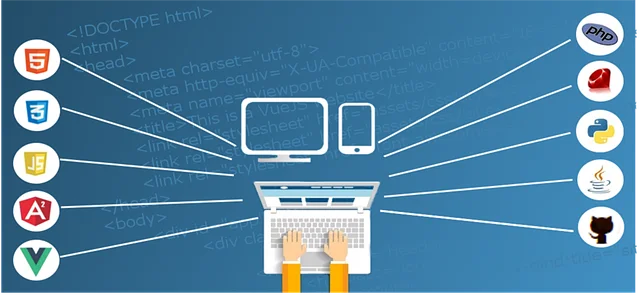
7 Simple Steps on How to design a business website

website-design-steps

Are you an entrepreneur, small-business owner, or medium to large-sized business owner? Regardless of the type or size of business, a website will allow you to not only create brand awareness, but also promote and sell your products and services. Irrespective of your marketing methods, enabling potential customers to either find you through a Google search or learn more about you after reading your marketing material is key to finding new customers.

The excuse of websites being too complicated or too expensive to create is no longer valid. Thanks to the advancements in software technology and CMS platforms, creating a website for your business is easier than you think.

You can do it yourself if you are so inclined or need to keep costs down, you can get a friend to help, or you can hire a Web developer to do it for you at a modest cost. Irrespective of the path you choose, it is important to understand the steps to create your business website.

Follow these 7 simple steps to have your business website up and running:


1. Decide the Objective of your website

What do you want the website to do for your business? Will it be a static website that will provide information about your products or services to web visitors? Or would you like to provide useful information about your industry by writing articles and posting them on your blog? Or would you like to sell your products online? Or would you like to book appointments online through your website?

Think carefully about the overall purpose of the website and then move to the next step, as it will guide you on how to design and build your website. Of course, you can always update your website later on and make it a multi-purpose website.


2. Choose your website’s Domain Name

Domain name is what your potential customers will use to find your website, i.e. www.mybusiness.com. Check and see if your business name is available by going to https://ca.godaddy.com/ and searching for it.

If the .COM or .CA version of your business name is available, then that’s perfect, since most people use .COM / .CA and it is easier to remember than .NET or .INFO. If it is not available, then look for an alternative that resonates with your type of business.

Here are some suggestions to find an awesome domain:

  • Match your business name as closely as possible
  • Avoid using hyphens or acronyms.
  • Should be available on all major social media sites
  • It should be brandable
  • It should be easy to remember
  • It should be catchy
  • It should be unique
  • Try to get top-level domain extensions (.com, .net, .org)
  • Keep it short
  • Be careful of copyright infringement


3. Get a Hosting account

Once you’ve chosen a domain, the next step is to decide where to host your website. A host is the service that actually stores your website on an online server and displays it to visitors. You can get a hosting account from GoDaddy, BlueHost, Hostgator, or Telkoware.

telkoware

You can start off with a less expensive and less powerful shared hosting services and can step up to faster and more powerful dedicated hosting later on, if required.

Please make sure that the hosting account includes web hosting and email addresses. To make your business look more professional and established, you’ll need a custom business email address, instead of using a generic gmail or yahoo email address.


4. Install a Web Content Management System

Once you have a hosting account, a Content Management System (CMS) needs to be installed with 1-click through the control panel provided by your hosting provider. Most popular CMS platform is WordPress. I would also recommend WordPress due to the following reasons:

  • Free
  • User-friendly
  • Powerful
  • Flexible
  • Huge developer network
  • Mobile-responsive

wordpress

WordPress is a user-friendly website builder. It has pre-built templates that you can choose based on your business type and the functionality you are interested in. It comes pre-built with blog. You can also get many plugins for WordPress that add different functionalities. That includes e-commerce, social media, picture galleries, memberships, appointment scheduling, podcasts, videos, newsletters, and much more.


5. Write your website content

Now it’s time to decide what your website is going to say. Figuring out what to say on your website can be challenging, and one of the main reasons business owners put off creating one.

It needs to be compelling to visitors and convey the right kind of information at the right level, so visitors actually read it instead of moving on to the next website. When you write content, think about it from a marketing and sales perspective.

Think about the objective you decided on 1st step and see what kind of content will support that objective. It doesn’t need to be filled with a lot of text and content. Just make sure that there is a clear Call-To-Action (CTA) on every page, which could be “contact us” form, or phone no. or email address. Here are the basic pages you should have on your website:

  1. Homepage: On the homepage, you should include the name of your business, where you’re located, and a simplified pitch – a few lines about what makes you unique and/or why customers should choose your business, over your competitors. It should also have icons/images of products/services, linked to their respective web pages and call-to-action and contact info at the bottom.
  2. Products / Services: A page with details about the products / services you offer. You have the option to provide all details on this page, or only have brief information here, with links to web pages dedicated for each product / service.
  3. About Us: Provide some history and background information about your business, as well as about yourself (business owner). Also, mention your business mission, vision, and core values. Images of yourself and employees on this page will be very helpful in improving the credibility of your business.
  4. Contact Us: Your basic contact information like physical address, email, phone number, along with hours of operation should be mentioned here with a Google map of your location embedded on it. Also, links to your social media accounts such as Twitter, Facebook and LinkedIn should appear on this page.

conversion web design

In addition to text, you also need images. Since you should have chosen a template with visual elements or background images that match your particular business, other images and graphics are generally used to supplement the text content or sometimes even replace it.


6. Get a Logo

The colors, font, and style of your logo will affect the design of your website. This is because you want a consistent theme between your logo and web pages.

logo

If you already have a logo that you are using in the offline world, then perfect. Find the digital file, or create a high resolution scan to use on your website. If you do not already have a logo, or want to upgrade from your existing design, there are three key ways to create one:

  1. Design it yourself on Microsoft Paint or Adobe Photoshop.
  2. Get a professional graphic designer to design it for you.
  3. User fiverr.com / 99designs.com to get a logo designed for a low price.


7. Design your website

Now that you have all the pieces for your small business website ready, it’s time to put them all together into a nice looking website. There are thousands of pre-built templates in WordPress to choose from. Pick the one that meets your website objectives and has the functionalities you are looking to build in your website. Some templates are fairly generic while others are either themed to a particular type of product or service (with background graphics and other visual elements that reflect the product or service) or have built-in features that you may find attractive. For eg., if you are a yoga instructor, you would look for a template geared towards fitness and health, and also allows you to display your yoga sessions schedule with an ability for visitor to register.

On average, it takes a visitor less than 3 seconds to decide whether to stay or leave once they hit your website, so it is imperative that you make a good first impression. Here are a few tips to ensure your website is keeping people engaged:

  • Have clear navigation – You want people who visit your site to instantly know what your business is about and where to go to learn about your products or services, find pricing, and contact a representative. If your site is not clear, people will get frustrated and exit out. So plan your sitemap carefully, thinking about your top pages and sub-pages, with a clear menu bar on the top for easy navigation.
  • Use Call-To-Action (CTA) buttons – Implementing buttons with clear actions will lead your visitor in taking the desired action, thus converting a prospect into a paying customer.
  • Make sure your site is loading quickly – People are impatient, and if your site takes even a fraction of a second too long to load, people will give up and look elsewhere. Make sure your web host provider has fast load times.
  • Keep it minimal – Don’t overdo it with the design and definitely don’t feel like you need to cover every square inch with information or a design. Use large, concise headline to grab the attention and use plenty of white space, so it does not look over-crowded. Look at your website from a customer’s perspective and design it accordingly.

website

It is critical to invest some time on your small business website to ensure that it has all basic elements of a great website. It does not have to be perfect from Day 1. As your business grows, you can update your website and add more features and content to it.

If you simply don’t have time to create a website, or if you want a unique design, hire the services of an expert. Feel free to check out our website design process and portfolio, and contact us at info@telkoware.com or (416)278-0734 to discuss your requirements.